Written for 0.1.0. In 0.1.1, Skills & packs became Playbooks in the Brain, Apps, Connected tools and the Slack page became one Connectors page, one line replaced the Working mode switch, and Cloud spending is gone.
NTND is pronounced "intend", which brings us to our question: what do you intend to build? Every company starts with an intent: what you mean to solve, for whom, and why. The hard part is turning that intent into reality, day after day. We started NTND a couple of months ago around one question: what would it take for human and AI agents to work as one team on that, with every person getting far more done than they could alone?
We think that's where work is heading. There will be more specialised companies and more specialised services, each run by fewer people who get much more done, with a team of AI agents beside them. The people set the direction and make the calls; the agents carry more of the load. Governing that work is a growing field in its own right, because automated systems still need someone accountable for them. The world won't jump straight to full automation. Like a product, it will go through its own alpha and beta first, with people checking the work as trust grows.
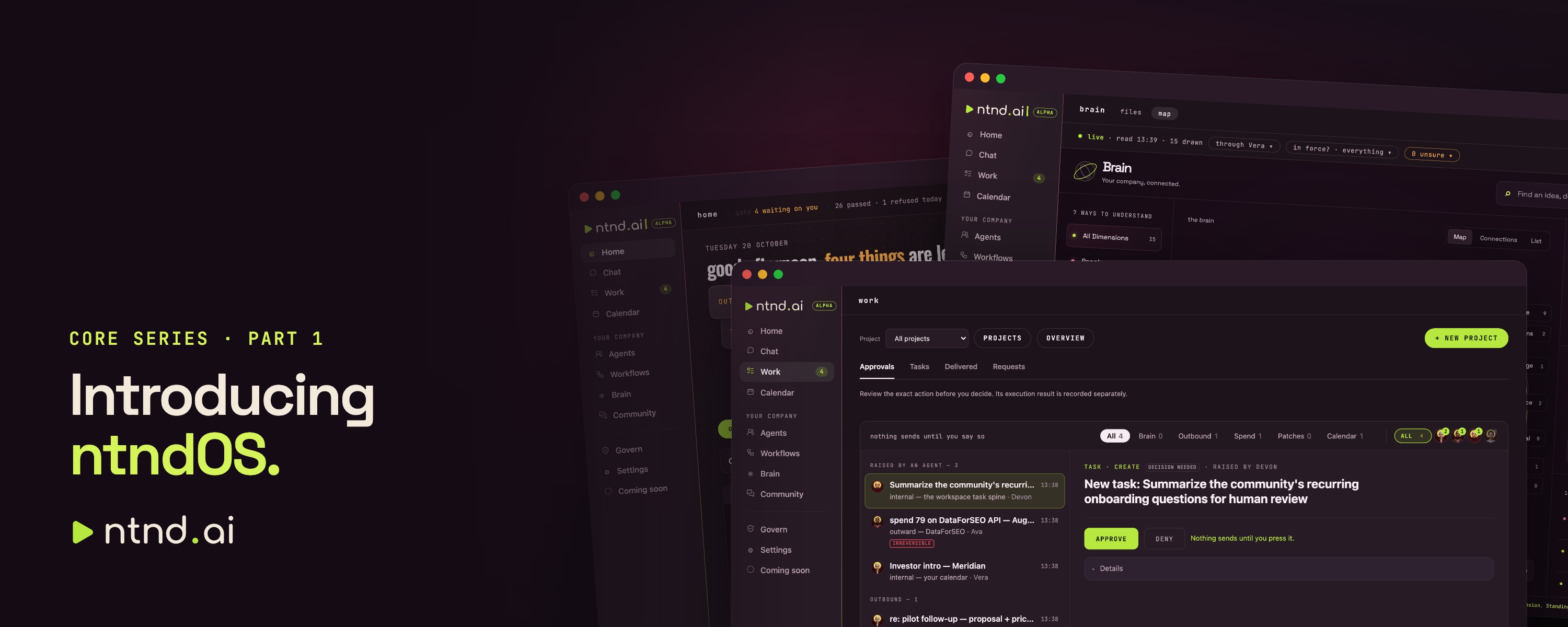
Our answer is ntndOS, an agentic harness for human and AI agents to work together. It's a desktop app where your human and AI agents do the company's day-to-day work, on a shared company brain organised in seven dimensions: People, Functions, Knowledge, Governance, Commercial, Estate and World.
We invite you to Request alpha access , now available for MacOS. It's a work in progress, and we invite people early on purpose. You will find bugs. We fix them fast. Tell us through Send feedback in the app, Discord (discord.gg/nv9TB74rcV ↗︎), a DM on X, or the form at ntnd.ai/contact
This is the first in a series of deep dives where we would like to start with showing you around in the app, so stay tuned for more.
What it's built around
A prompt can start a task. Running a company takes more: people who set the direction, knowledge everyone can rely on, repeatable ways of working, the right tools, and a clear answer to "who decided this?"
Most AI tools stop at the prompt. You paste context in by hand, check the output in another window and keep the approval in your head. That holds for one person in one chat. It breaks once several agents work on the same company for a longer period of time.
ntndOS is built for the second situation. Five ideas run through every screen:
- One team. AI agents and human agents sit in the same list, the same chats and the same record of decisions.
- Capable agents. Each agent has a role, skills, tools and a model you choose. Skills are methods you can write, customise and add to.
- Shared knowledge. One company brain that every agent reads from, with sources it can point to.
- Work that repeats. Build a workflow once, then run it when you like or on a schedule.
- Decisions stay with people. Agents propose. You approve, and you decide how much each one may do alone.
The parts
Here is each part of the app, roughly in the order the sidebar shows them.
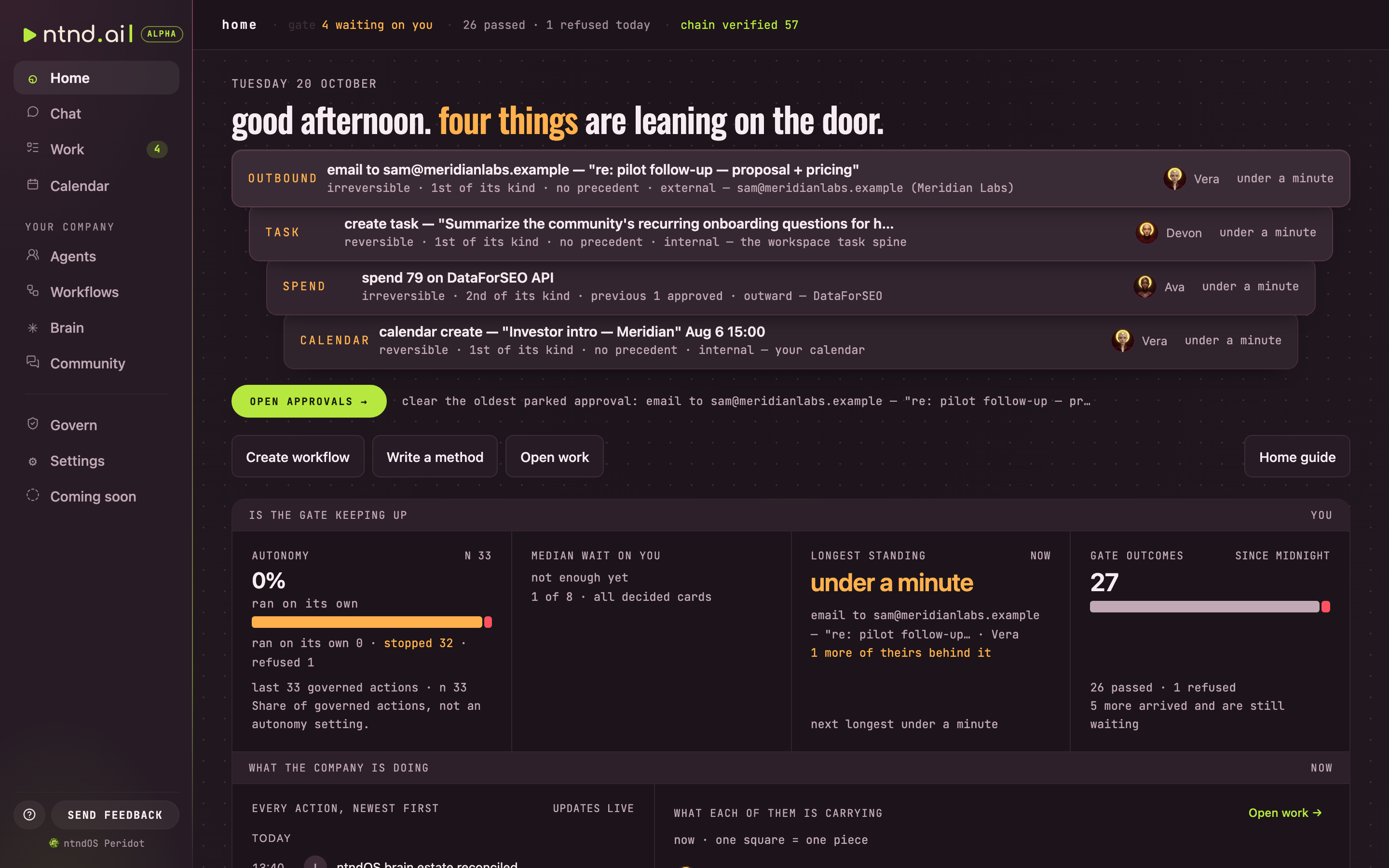
Home. Home answers three questions: what needs my decision, what are my agents doing, and what came back today. On our test company it read "four things are leaning on the door": an email Vera wants to send to a client, a task Devon wants to create, a spend Ava wants to make on a data service, and a meeting Vera wants on the calendar. Each card says whether the action can be undone and whether it's the first of its kind. Below sit quick actions (Create workflow, Write a method, Open work), every action newest first, today's calendar, the decision record and your workflows.
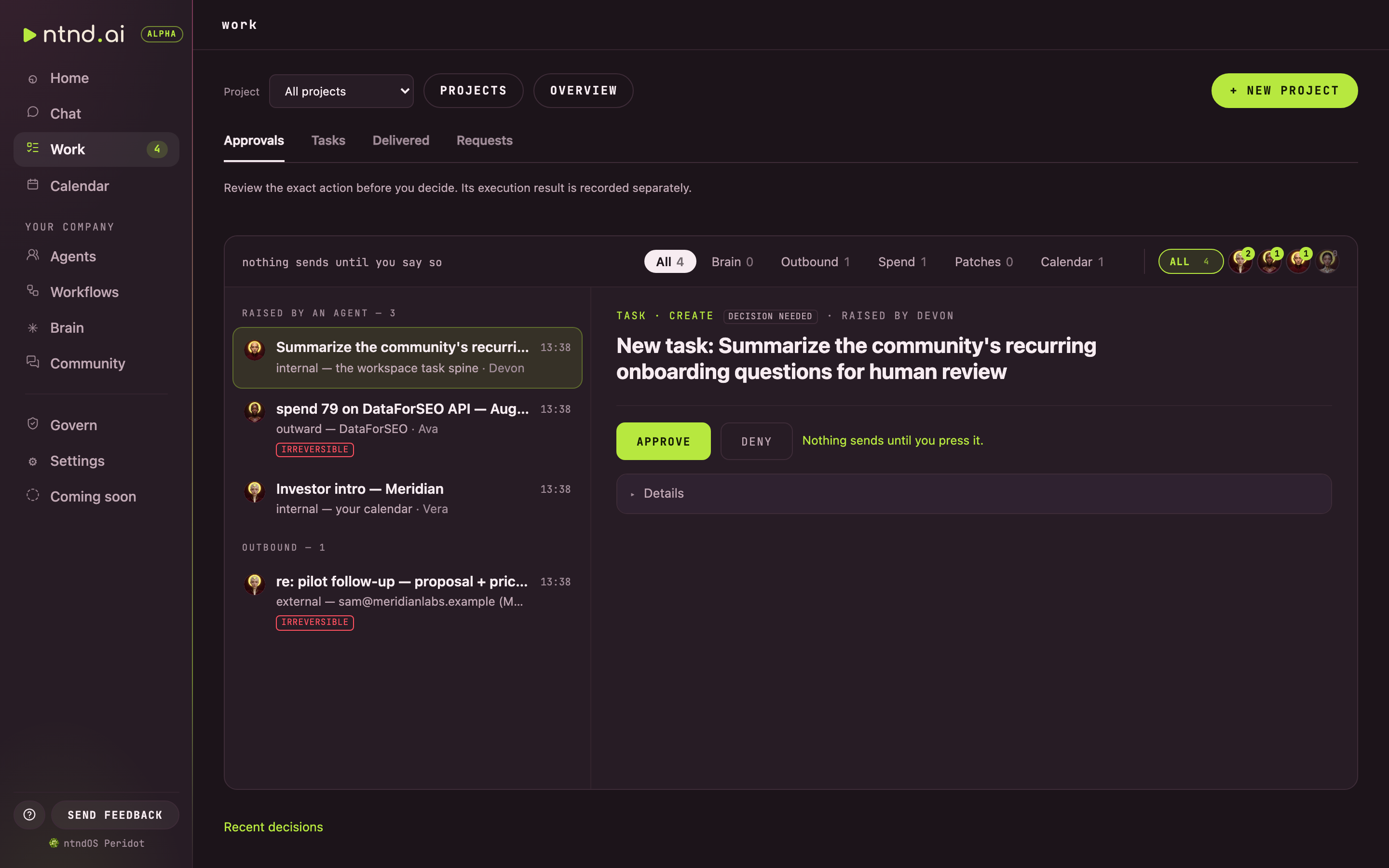
Work and Approvals. Work has four tabs. Approvals holds every decision an agent needs from you. Tasks holds planned work, Delivered holds the files your agents finished, and Requests holds answers you need from people. A project bar narrows all four to one project.
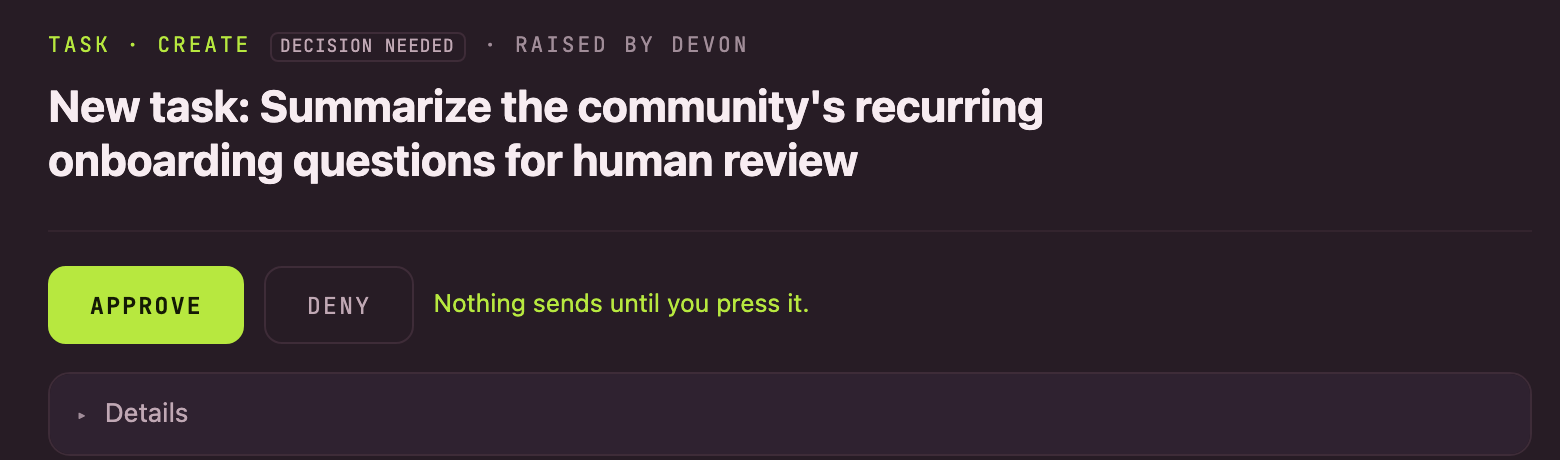
An approval card shows the exact action. If Vera wants to send an email, the card starts with the email as it would go out, and the button says Send. A draft gets Looks right or Send it back. A workflow checkpoint gets Sign off and carry on. The first time any agent tries a new kind of action, it asks you. Sending, publishing and paying ask every time. When you're happy for an agent to do something on its own from now on, tick "always let Vera …" before you approve.
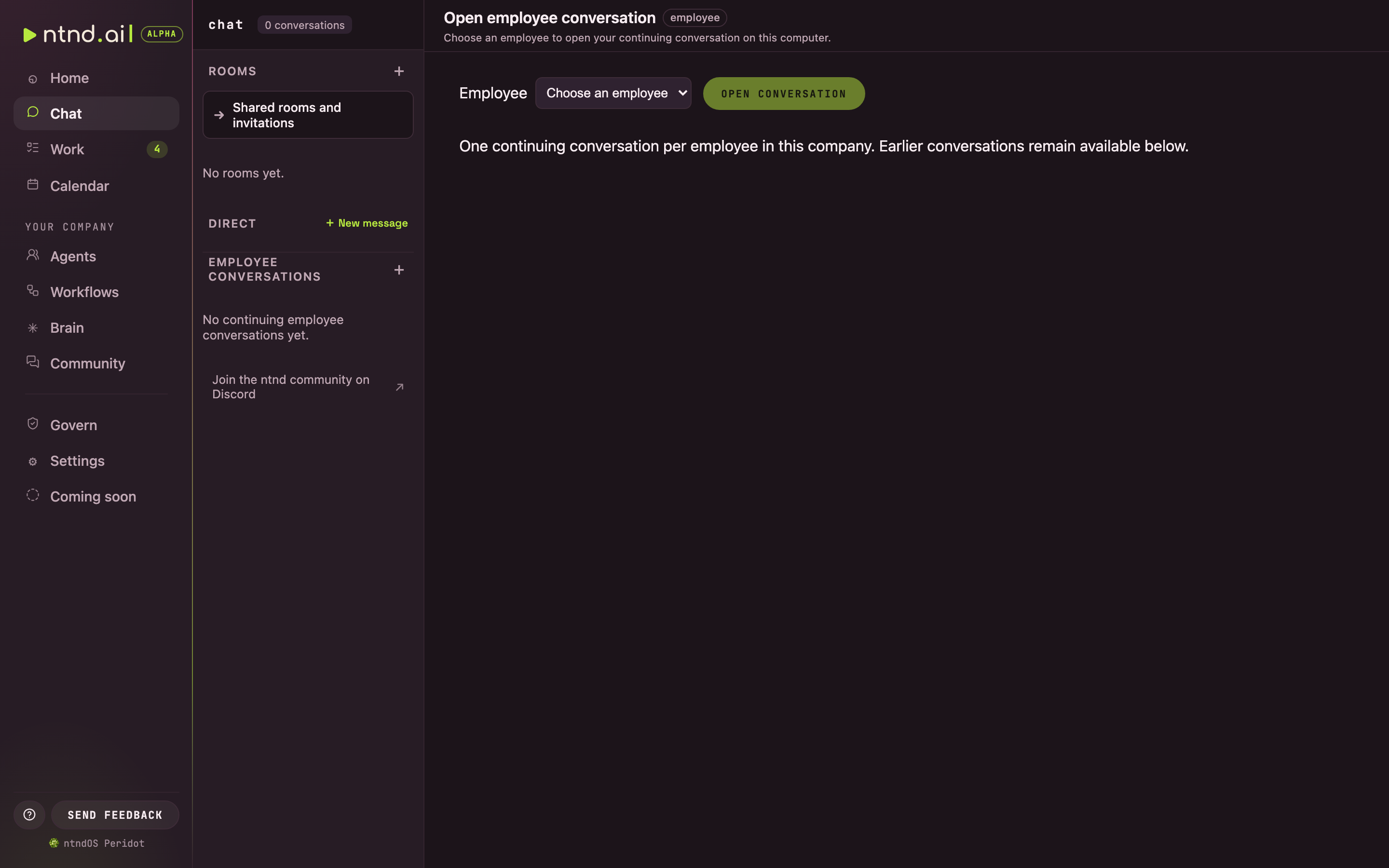
Chat. Chat has two kinds of conversation. Employee conversations are with one of your agents and are saved on your Mac. They work without connecting to the chat relay at all. Type "/" and a list of commands opens: /brain asks what the company knows, /draft writes something for you to read first, /task creates a task for someone.
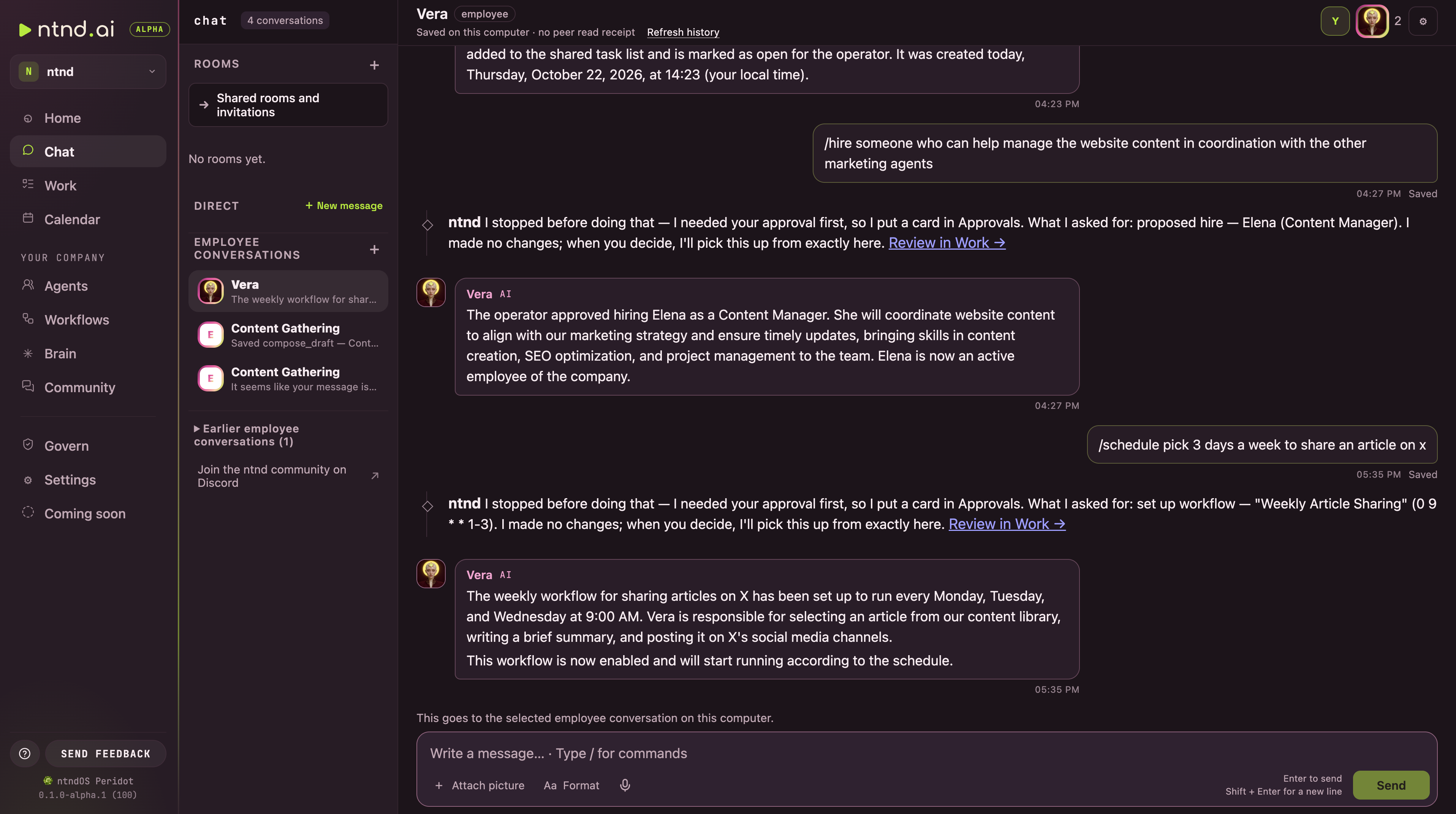
Rooms and direct messages are with people on their own ntndOS that you know and want to collaborate with. They're invite-only and end-to-end encrypted, built on Matrix, an open standard. You can add agents to a room and address them by name. Messages written by AI carry an AI label, so everyone can tell who wrote what.
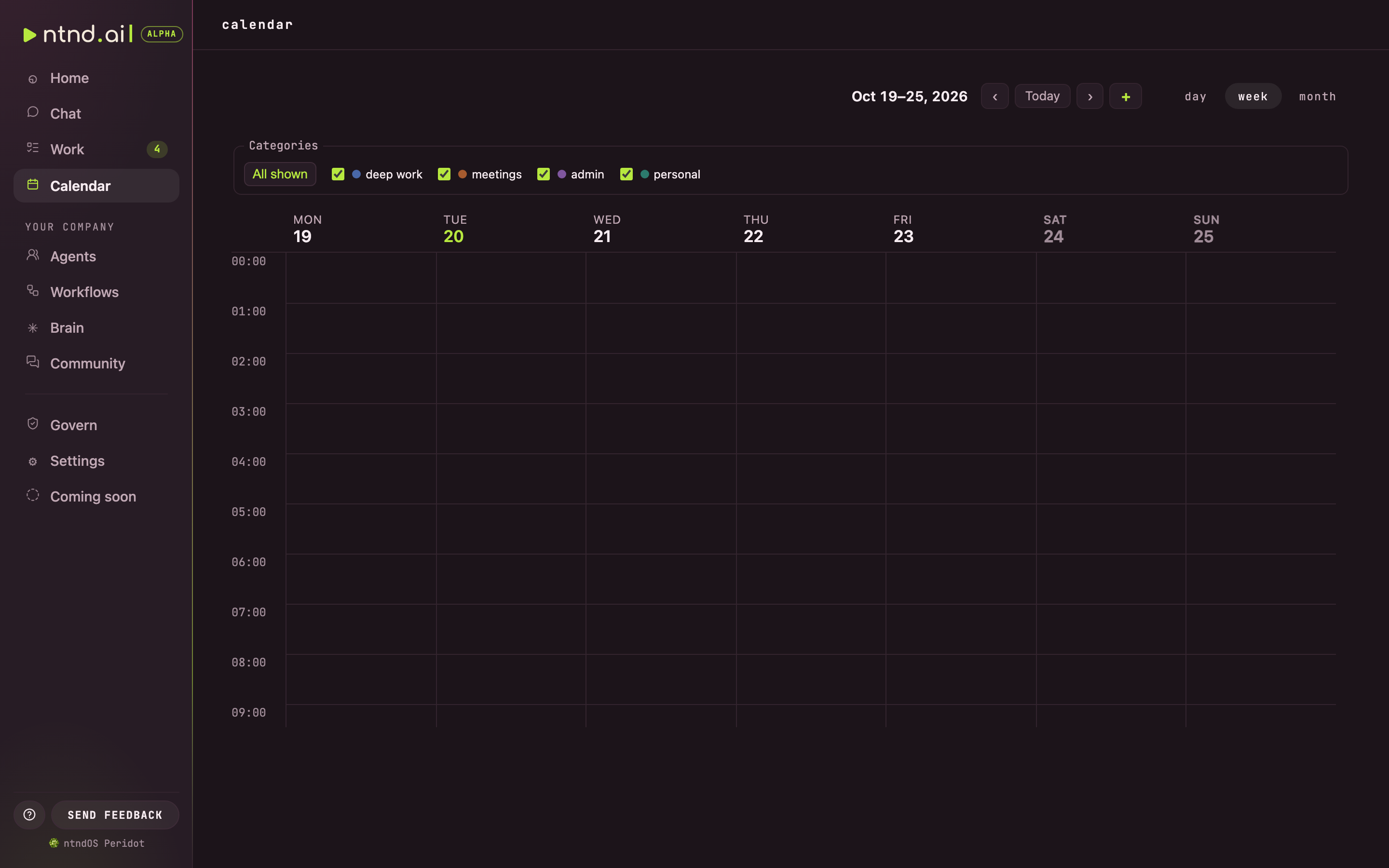
Calendar. Day, week and month views of your time. Press + to add a block, drag it to move it. When an agent proposes a block, it waits at the gate until you accept it. If you connect Google Calendar, your Google events show up here too.
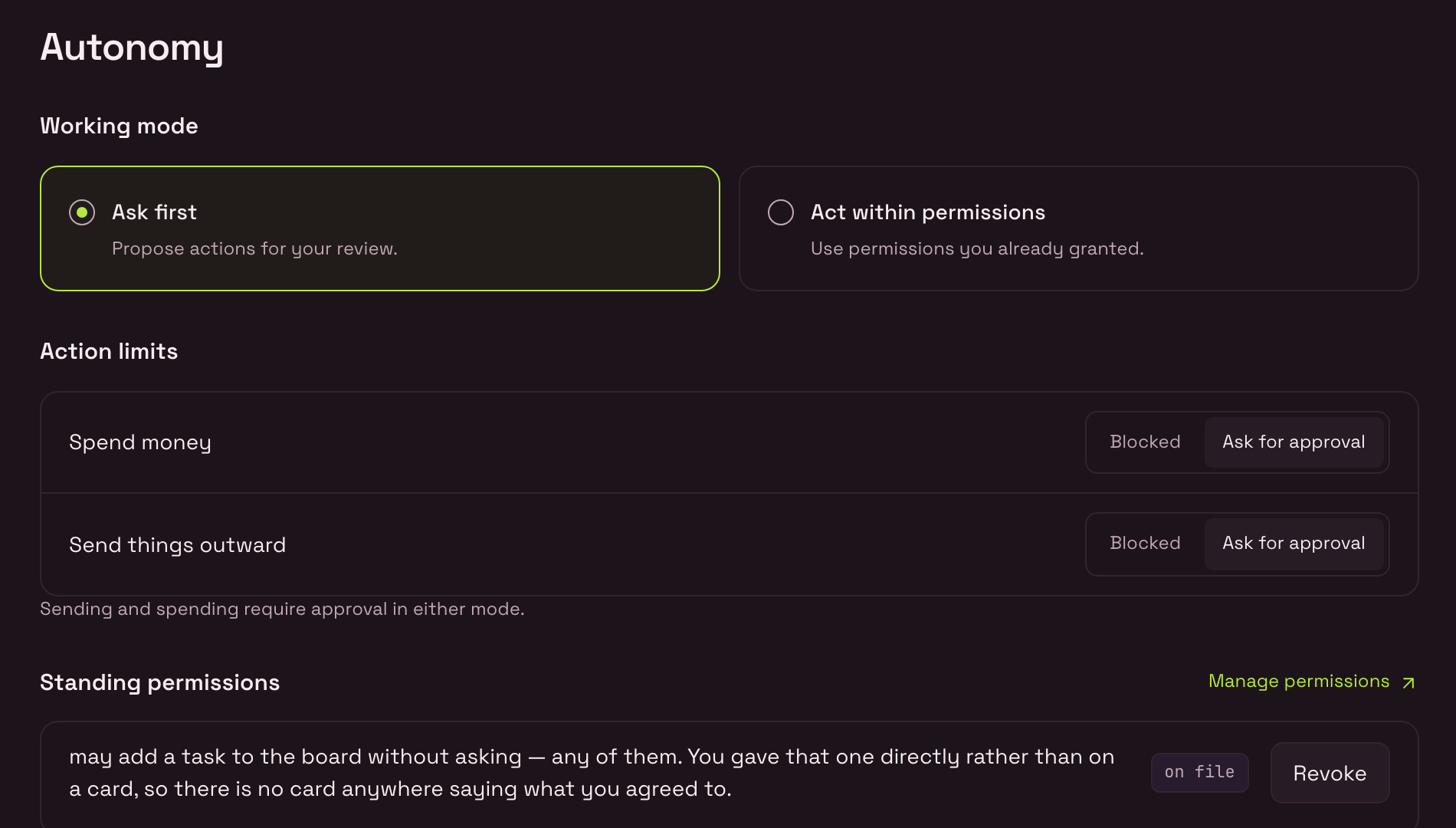
Agents. This is your team. To hire an AI agent, press Add agent and give it a name. You can give it a role, a description, the model it thinks with, instructions on how to work, and how much autonomy it gets. "Ask first" means it proposes and you decide. "Act within permissions" means it uses the permissions you've already given. During the alpha, sending and spending always come to you either way.
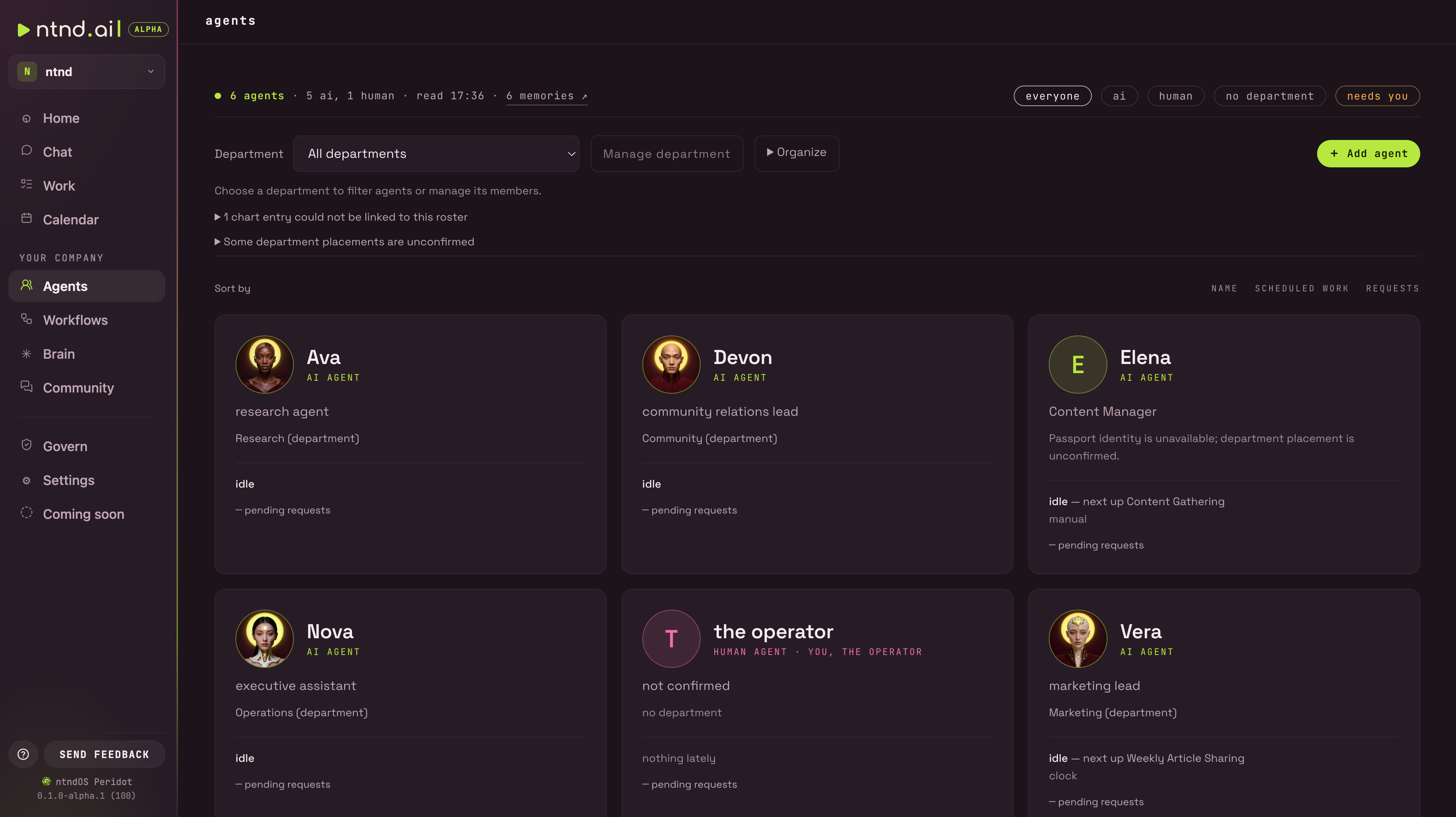
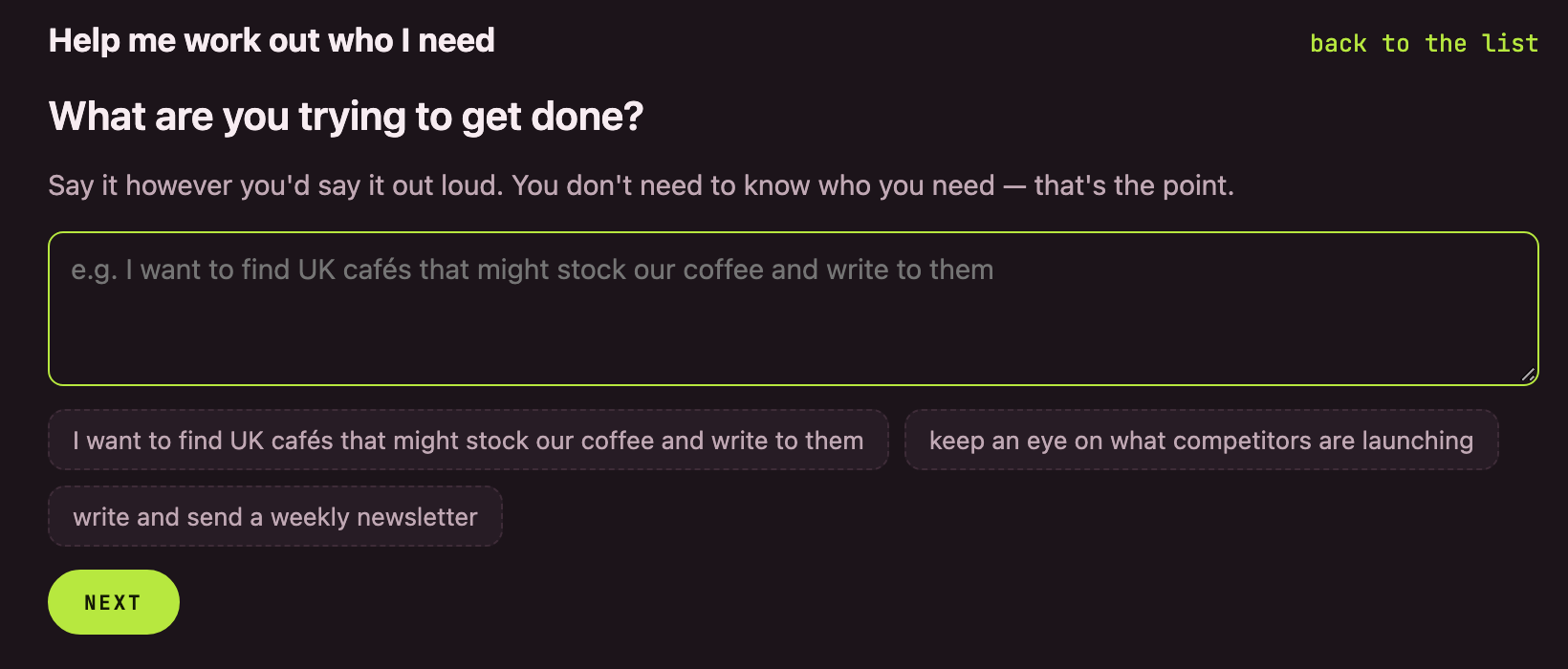
Not sure who you need? Plan a team asks what you're trying to get done, whether it keeps happening, and whether anything goes outside the company. It proposes roles and explains each one, then asks about each hire one at a time. Nothing is hired in a batch
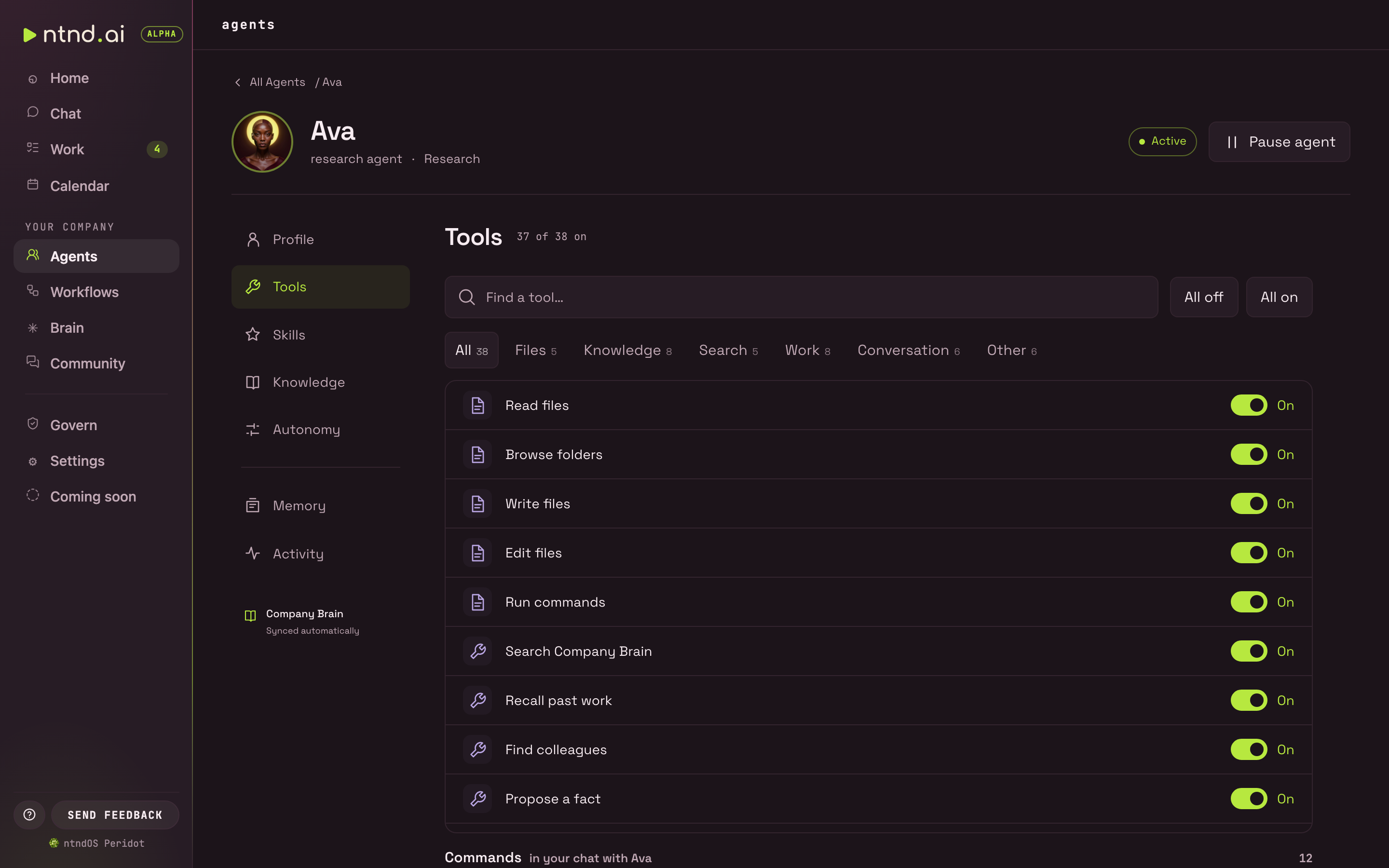
Each agent has a page with tabs for its profile, tools, skills, knowledge, autonomy, memory and activity. Agent roles come with their own skill packs, which you can customise or add to.
A human agent is a real person who works alongside your agents. They need their own ntndOS, and you both need chat connected. You press Add agent, choose a Human Agent, pick or start a chat with them and enter their exact chat account. ntndOS sends them a private passport form, which they fill in on their side. Their answers arrive in Work › Approvals, and you choose how far to let them in.
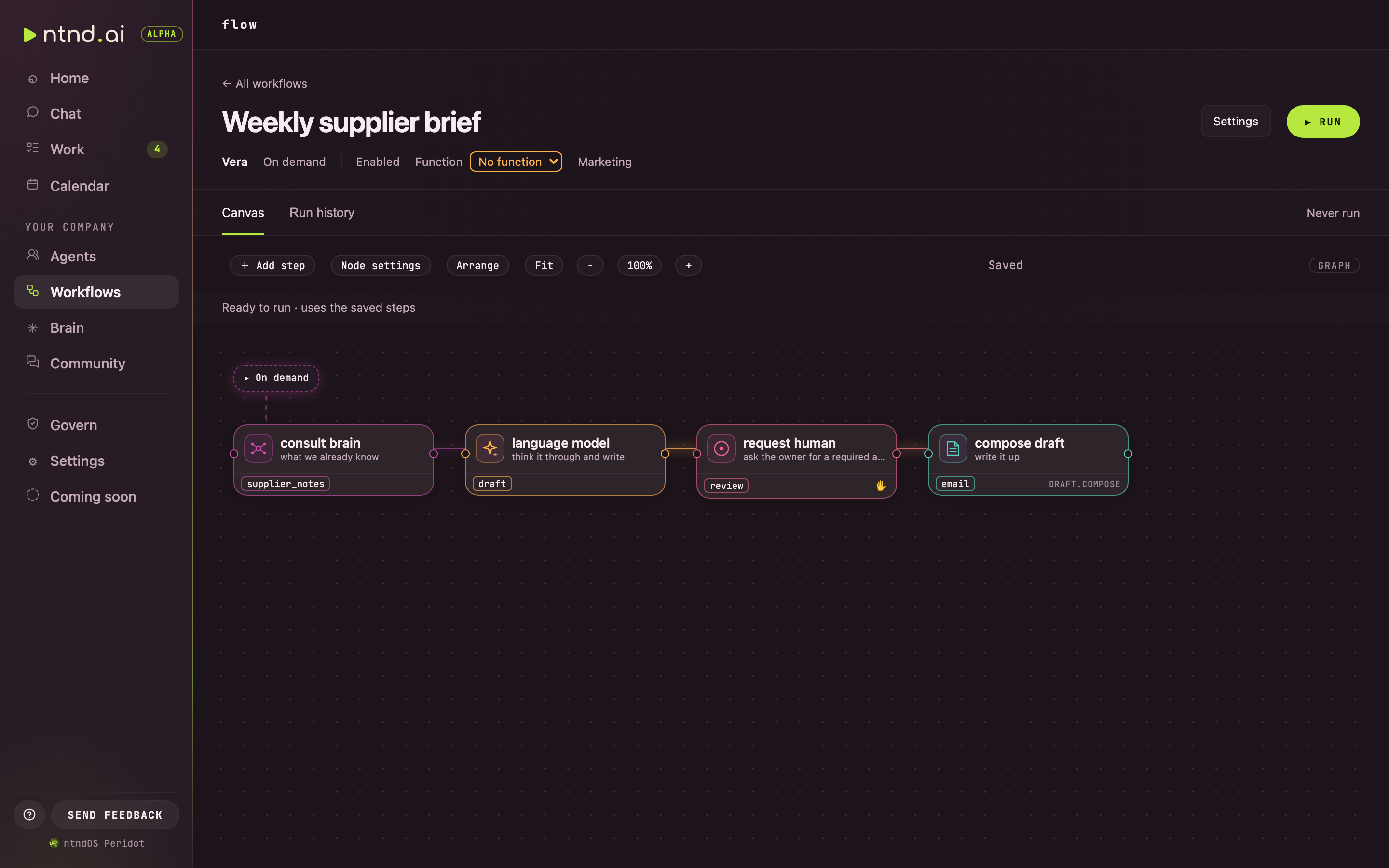
Workflows. A workflow is a chain of steps that one agent runs, when you start it or on a schedule. You build it on a canvas. Our test company has a weekly supplier brief that Vera runs: read the supplier notes in the brain, write a draft, stop for the owner's review, then compose the email. You can tick "Review this result before continuing" on any step, so the run waits for you there. Run history keeps every past run, with each step's output. Any step that would change something still goes through the same gate as everything else.
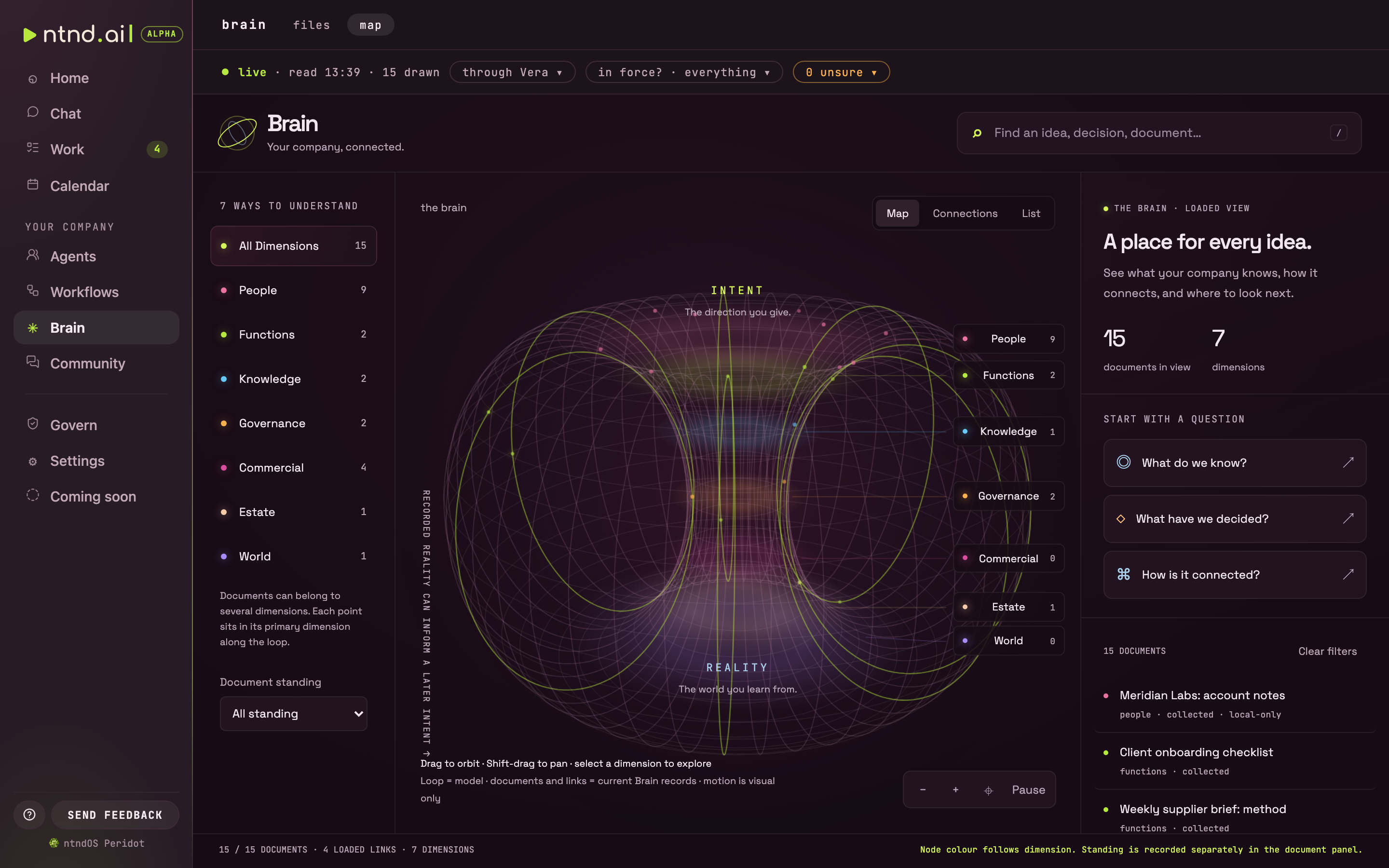
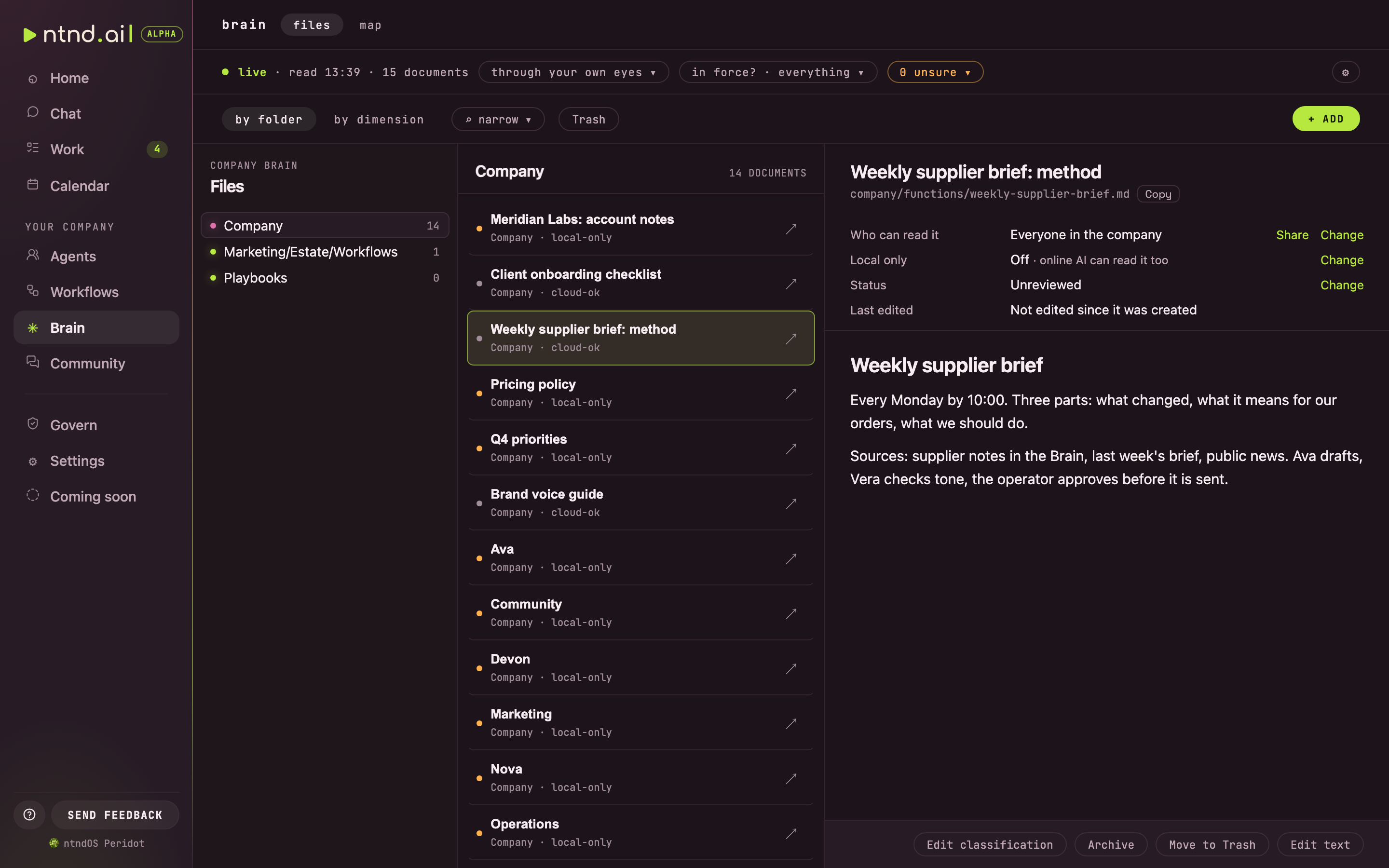
Brain. The brain is what your company knows: documents, decisions and how work gets done, organised in the seven dimensions. Files lists the documents by folder or by dimension. Map shows how they connect.
Every document has an owner, a group who can read it, and a status: unreviewed, proposed or in force. An agent can file a note with /note, and it stays the agent's own until you decide it should become company knowledge. When an agent answers from the brain, the answer points to its sources. In our internal tests, a question the brain couldn't answer came back as "not found", which is what it should do. You can also write the whole brain to disk as Markdown files and edit them in Obsidian or VS Code.
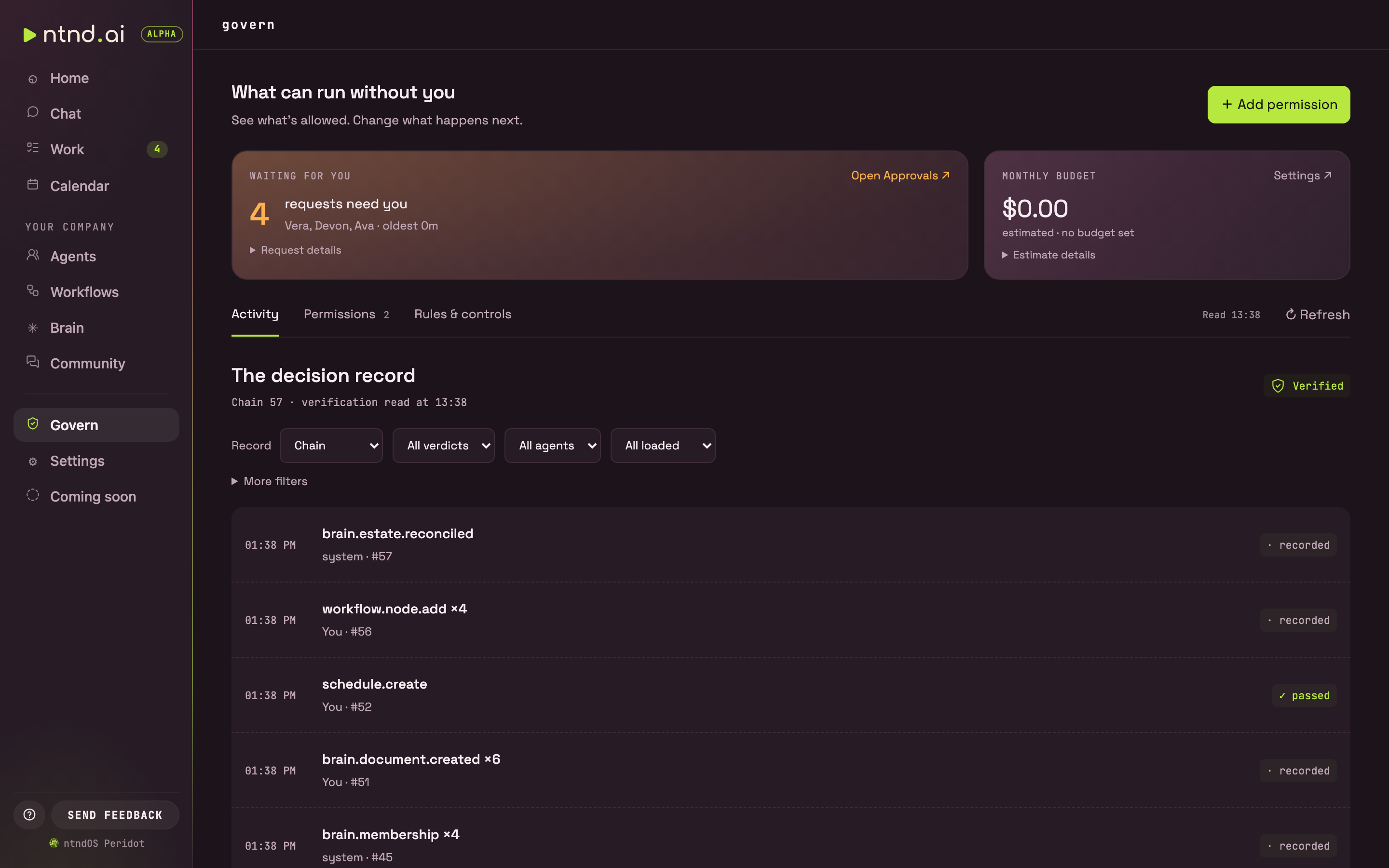
Govern. Govern answers "what can run without me?" Here you give one agent a standing permission for one kind of action, and take it back with one click. A yes you give Nova never covers Ava. The Activity tab is the decision record: every action that passed, was held for you, or was refused. It shows Verified when the record's chain checks out.
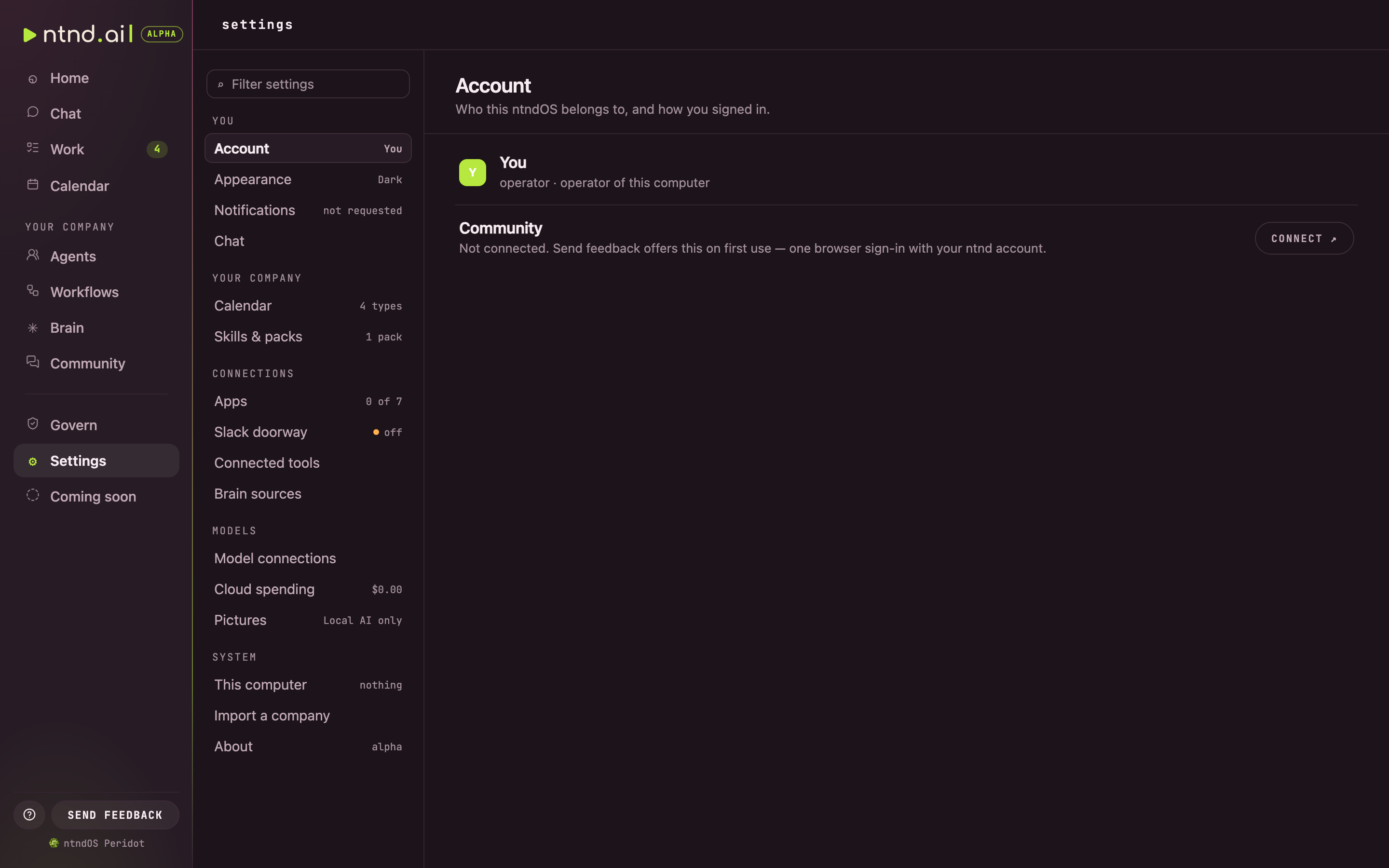
Settings. Settings covers you, your company, your connections, your models and this computer. A few pages matter most early on.
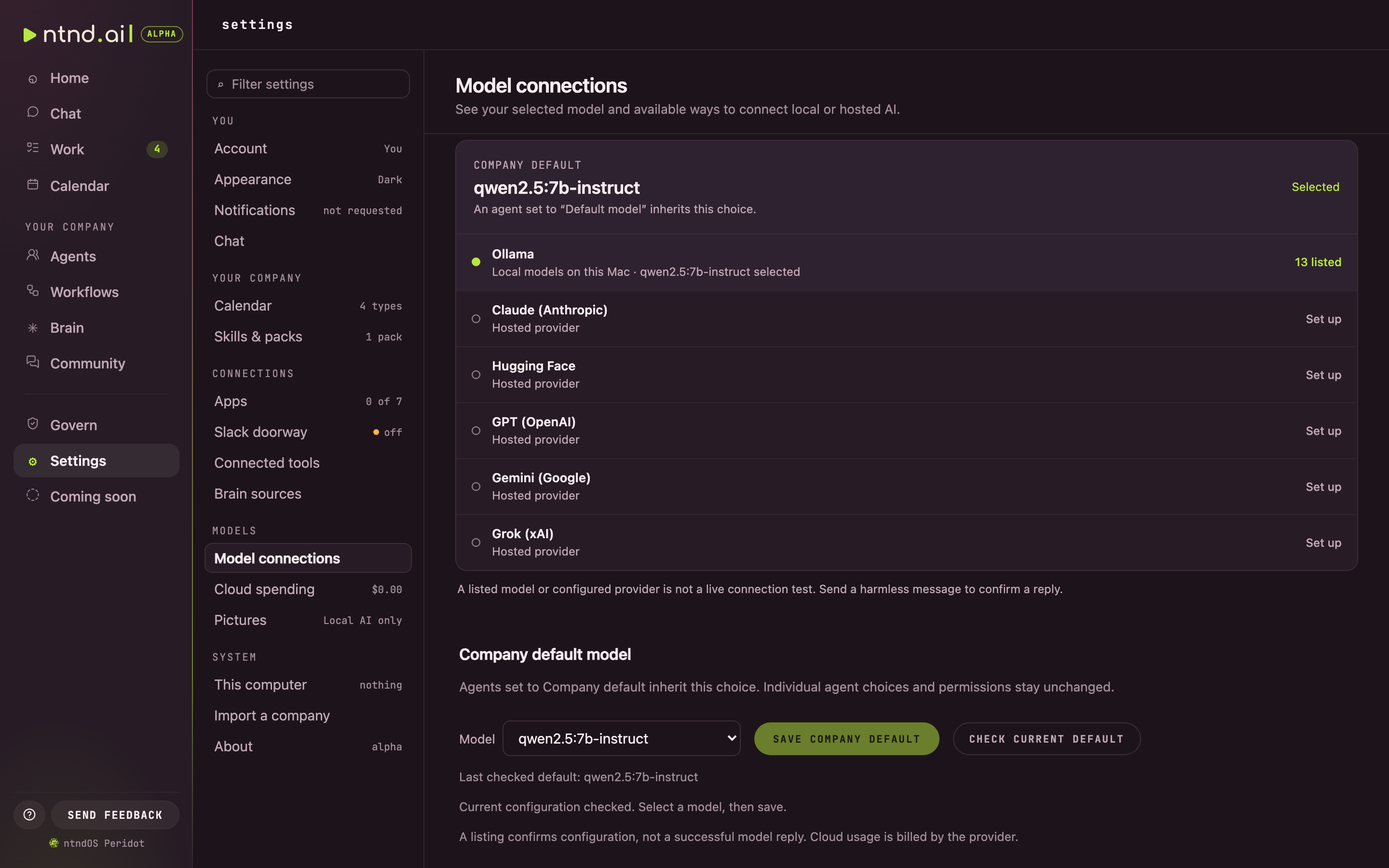
Model connections. You can run ntndOS for free with a local model, through Ollama or LM Studio or any OpenAI-compatible server on your Mac. Or connect a cloud provider with your own API key: Claude (Anthropic), GPT (OpenAI), Gemini (Google), Grok (xAI) or Hugging Face. Pick a company default, then give any agent its own model if you like. Cloud use is billed by your provider, with no markup from us.
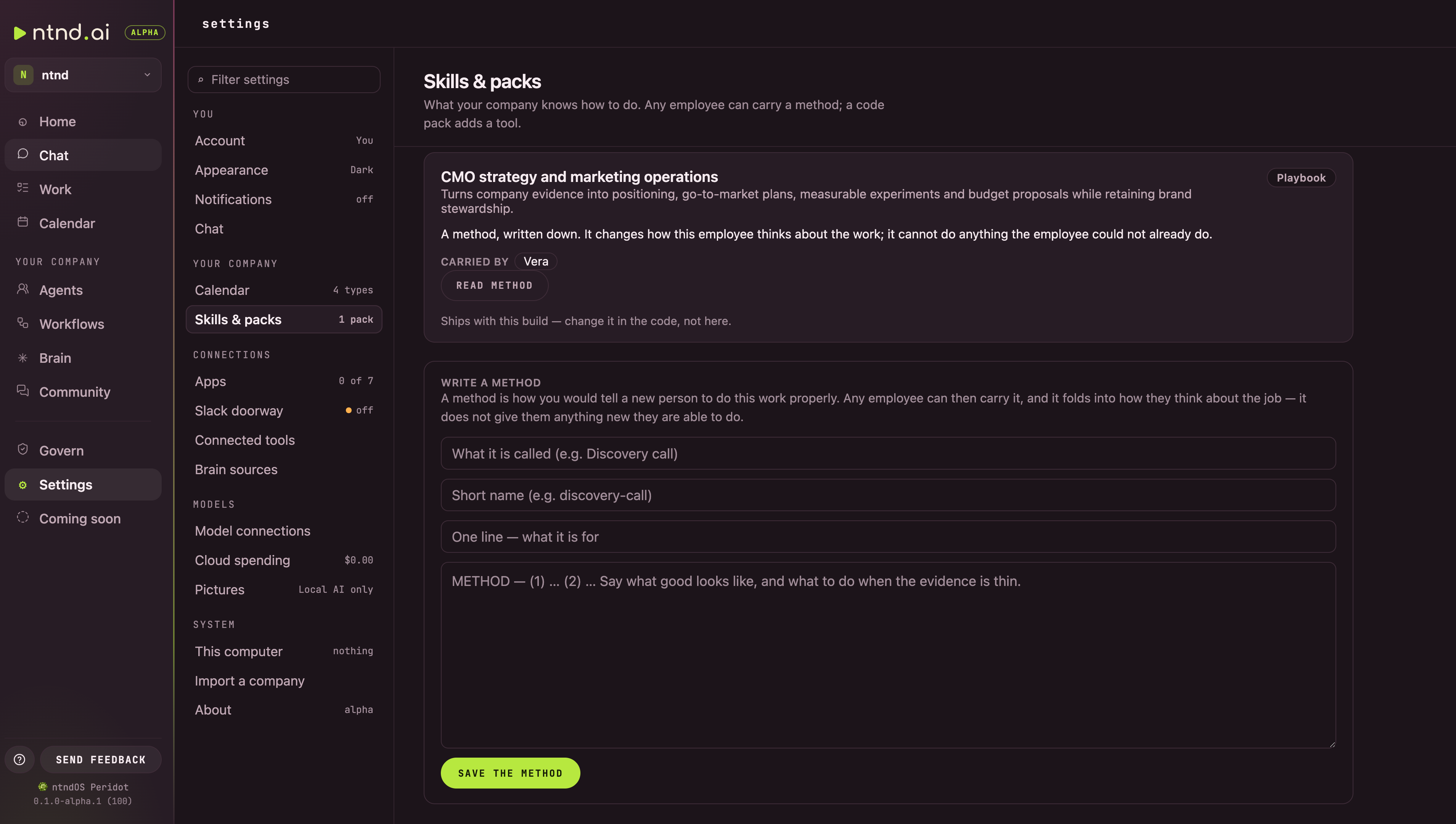
Skills & packs. This is what your company knows how to do. A method is a written playbook any agent can carry. A code pack adds a tool. You add either to an agent on its Skills tab.
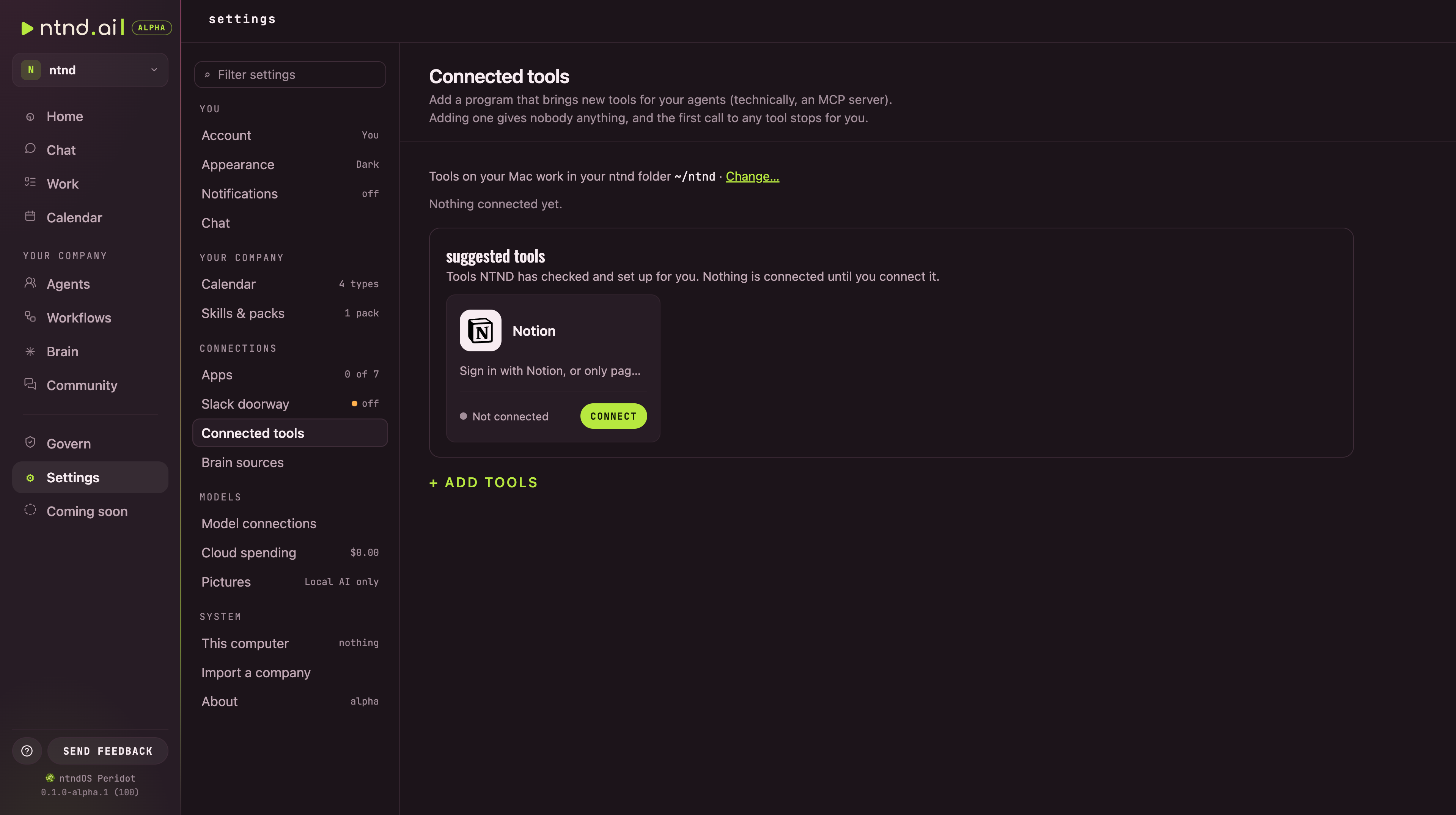
Apps and Connected tools. Apps connects accounts such as Gmail, Google Drive, Google Calendar, GitHub, Slack and Obsidian, and each card says exactly how far it reaches. Slack, for example, posts only in channels you invite it to, and every post needs your approval. Connected tools adds programs that bring new tools for your agents. Connecting gives nobody anything. An agent still needs your yes, and the first call to any tool stops for you. We're adding a lot more integrations soon. Tell us which ones you're looking for.
Slack doorway. This lets people in Slack, who don't use ntndOS, message your agents.
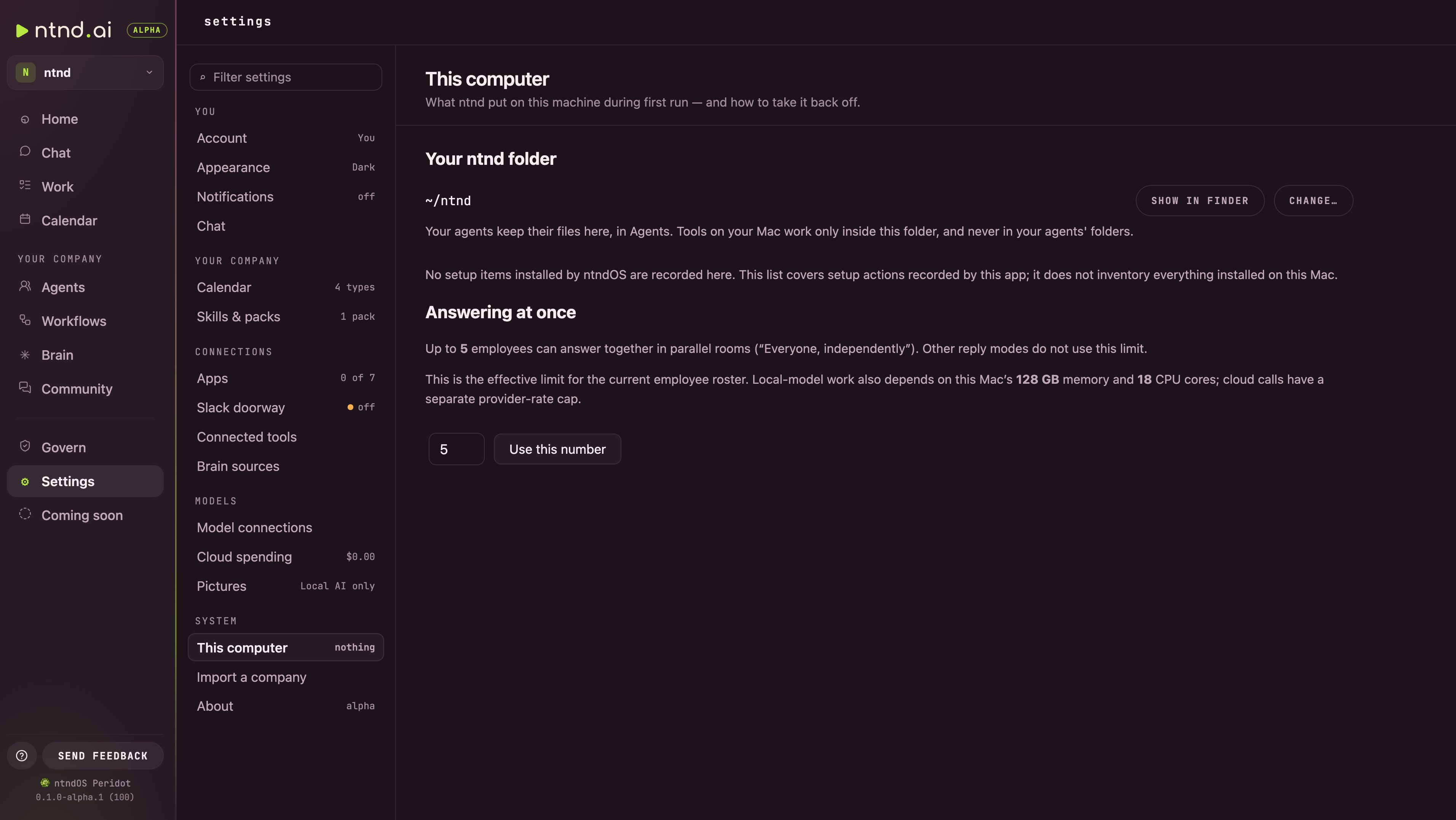
The working folder. At setup you choose one folder. Everything your agents produce lives there as normal files, each agent in its own space. Your usual backup, such as Time Machine, covers them. Local tools are designed to stay inside that folder, and ntndOS asks before a tool touches anything outside it.
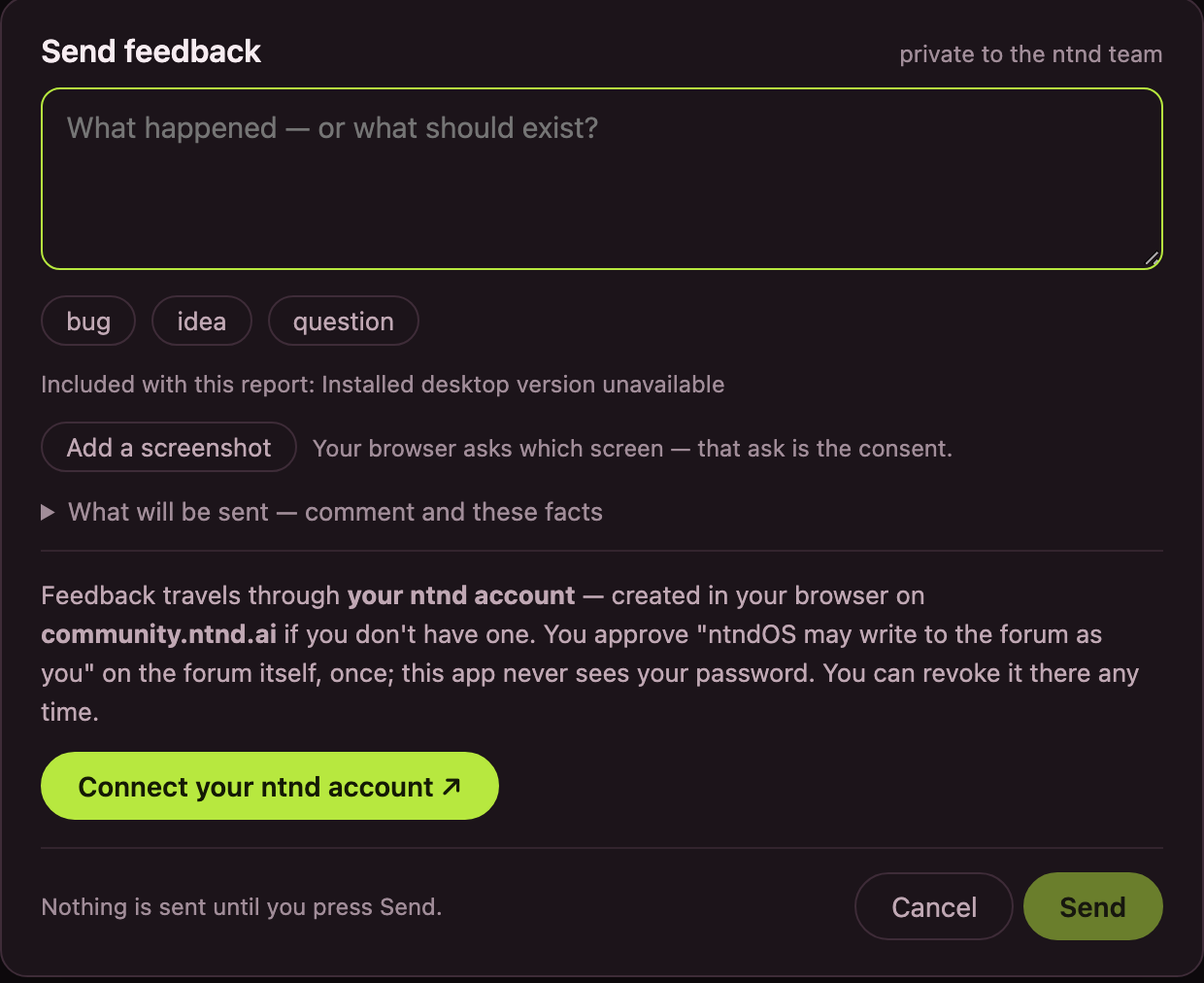
Send feedback. The button at the bottom of the sidebar sends a note to our team, with a screenshot if you want one. A black-out marker lets you hide anything private before it goes. It opens a private ticket, and our replies reach you there and by email.
How it all connects
When AI agents start doing real work, the hard question isn't whether they can do it. It's who answers for it. If an agent sends the wrong email or spends money it shouldn't have, someone has to be able to see what happened, why it was allowed, and how to stop it happening again. In most tools that answer is scattered across chat logs, settings pages and memory.
ntndOS keeps it in one place. Every screen runs on the same agentic harness, and every action an agent wants to take goes through the same permission check before anything happens, whether it starts in a chat, a workflow or a scheduled job. The check asks a few things in order. Is this agent allowed to do this kind of thing at all? Has someone given it a standing permission for exactly this? Is it the first time it's tried? If there's no permission, the action waits as a card for a person to approve or deny. Sending, publishing and paying always wait for you, whatever the settings say.
Permissions are narrow by design. A standing permission covers one agent and one kind of action, so a yes you give Nova never covers Ava. You can take it back at any time in Govern, and undo that if you were too quick.
Every decision lands in the same activity record: what was asked, by which agent, what it would have touched, who approved it or which permission let it through, and what happened next. The record links each entry to the one before it, and Govern shows Verified when that chain checks out. So when you want to know who did something and who allowed it, there's one place to look, and the answer is the same whichever screen the work started on.
Where the alpha stands
ntndOS is in an invite-only alpha, Mac first, with Linux and Windows to follow. It's a work in progress, and we invite people early on purpose. You will find bugs. We fix them fast. Tell us through Send feedback in the app, community.ntnd.ai ↗︎, Discord (discord.gg/nv9TB74rcV ↗︎), a DM on X, or the form at ntnd.ai/contact.
What we're aiming for
We want ntndOS to make one person far more capable: a human with superpowers. You set the direction and make the calls. Your agents take the repetitive part of the job, the research digest, the first draft, the weekly report, and hand it back for you to judge. You get your time back for the work that needs you.
If you have a job like that, something that repeats, has a result you could accept or reject, and that you'd still want to check yourself, tell us about it. We invite people in cohorts, Mac first.
Request access: Request alpha access
Coming next in this series
- Inside the Company Brain
- Workflows: work agents carry out, step by step
- Agents: who does the work
- Chat: talking to agents, and to people, without mixing the two up
- Approvals and Govern: how a yes works
About ntnd.ai
NTND (say "intend") builds ntndOS, an agentic harness for human and AI agents to work together: a desktop app where human and AI agents run a company's day-to-day work on a shared company brain. ntndOS is in an invite-only alpha, Mac first.
- Join the alpha: Request alpha access
- Follow us: x.com/ntnd_ai ↗︎ on X, github.com/ntnd-ai ↗︎ on GitHub
- Founder: Ibby Benali, x.com/ibbybenali ↗︎
- Talk to us: community.ntnd.ai ↗︎, or our Discord at discord.gg/nv9TB74rcV ↗︎
Bugs are expected. It's an alpha. If you're testing ntndOS, use the feedback button in the app, post on community.ntnd.ai ↗︎, tell us on Discord ↗︎, send us a DM on X ↗︎, or use the contact form at ntnd.ai/contact.