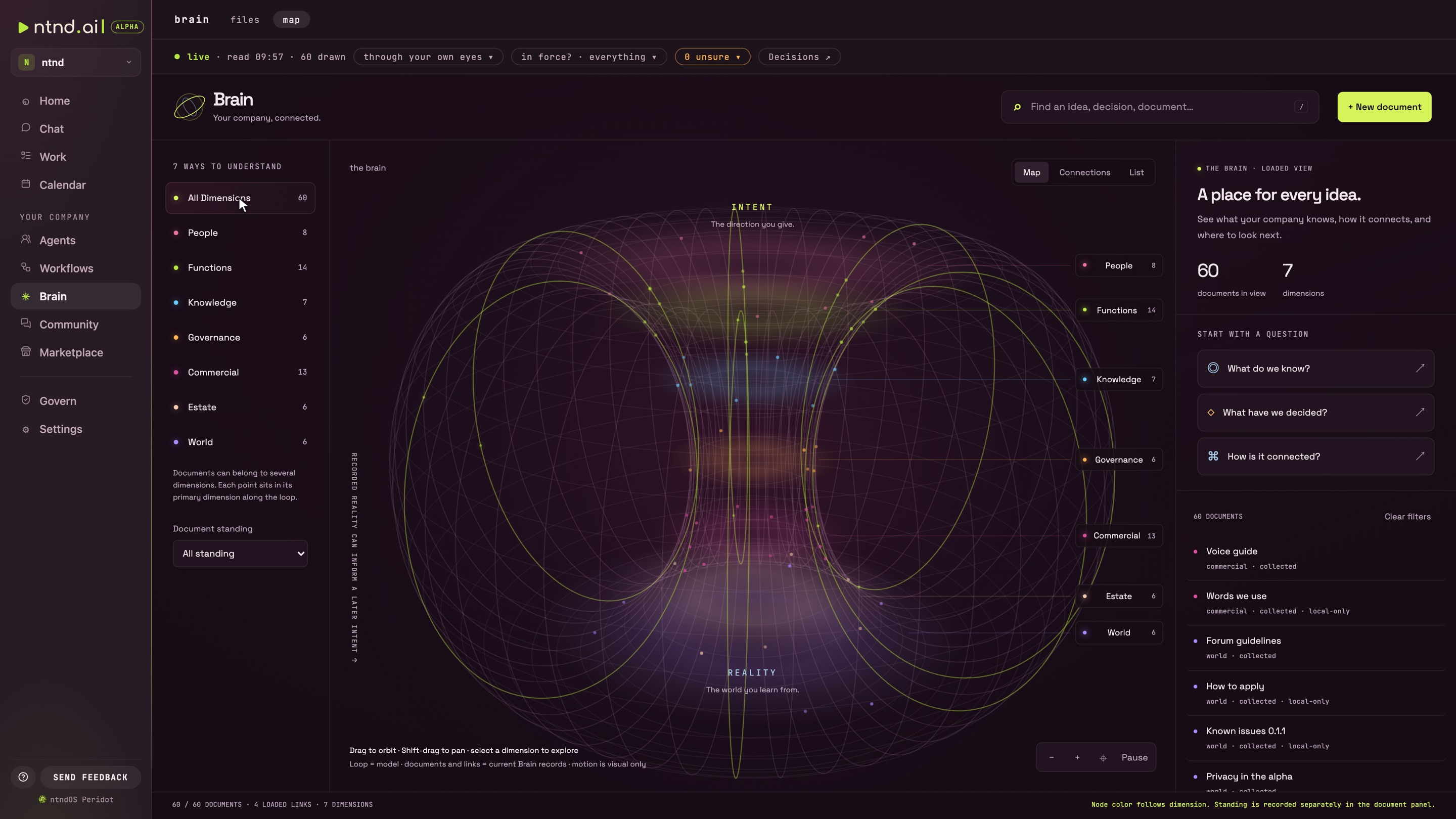
The Brain connects the material, relationships and decisions behind the work—so agents can start from relevant context, and people can inspect what shaped an answer.
Everything your company knows, in one place you can check
More than retrieval
Context that keeps its shape.
Useful company knowledge is not just a collection of files. It includes who and what it relates to, where it belongs, which decisions shaped it, and which view makes sense for the question at hand.
Perspective
Orient before you search.
Start from people, functions, knowledge, governance, commercial work, estate or the wider world—not an undifferentiated document pile.
Relationships
Keep a thread to the material.
A map can make the relationship around a document legible: its dimension, connected work and the other ideas that give it meaning.
Judgment
Make the next question better.
Use the company’s evolving context to decide where to look next, while keeping human judgment and permission separate from retrieval.
Inside the product
Explore what the Brain holds together.
Scroll through the chapters to bring a different part of the Brain into focus. Map readings show the current local ntndOS product; Files scenes use invented sample content.
Before a document is used, the context that gives it meaning is visible in the same place as the source.
RoomProduct
DimensionsKnowledge · Intent
FloorCloud-ok
actual ntndOS productOne map. Seven ways in.Move through the company by the view that makes the next question easier to ask.
Semantic search
Ask in your own words. Find the document.
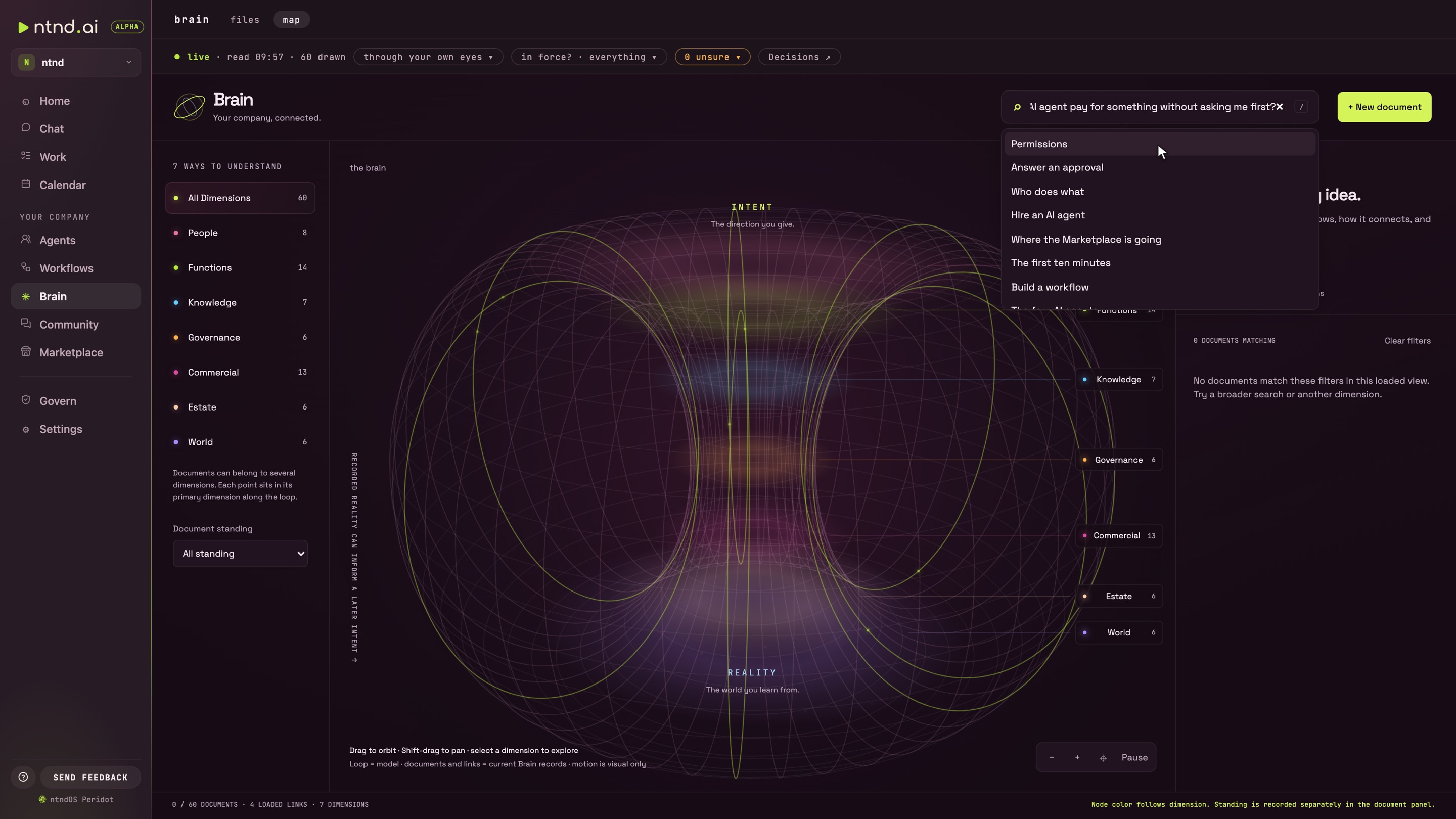
Type a question into the search box at the top of the Brain, or press /. Semantic search looks for what you mean as well as the words you typed, and lists the documents that answer it. Click one to open it.
01 · The search box
It sits at the top of the Brain.
Click the box, or press / to jump straight to it, and type.
02 · Your question
Ask the way you would ask a colleague.
Here we typed: “can an AI agent pay for something without asking me first?”
03 · By meaning
The page that answers it comes first.
Permissions tops the list, even though the question never says “permission”. Semantic search looks for what you mean, not only the words you typed.
04 · Open it
Click a result to open the page.
The other matches follow below it, in one list that blends word matching and semantic search.
actual ntndOS productA question typed into the Brain’s search box, with the matching documents listed below it · ntndOS 0.1.1, sample company.
By meaning
Find it without the exact words.
Ask the way you would ask a colleague, and the documents that answer it come up, even when they use different words. Words still count: it runs word matching and semantic search together and blends the results. It works best in English.
On your Mac
The search runs on your Mac.
The search model comes inside the app, so nothing is downloaded and no cloud service is used to search. Local-only documents are searchable too, and they are indexed on your Mac only.
For your agents
Your agents search the same way.
When an AI agent looks something up in the Brain, it uses the same search. Right after you install, while the index is still being built, search uses word matching and says so.
Where it starts to matter
A shared frame for useful work.
The Brain is not an ornamental layer over the product. It is a way to make company context inspectable when people and agents need to act with care.
A new agent
Give a role a better starting point.
Connect a role to the methods, material and company areas that are relevant to its job—without treating everything in the company as universally available context.