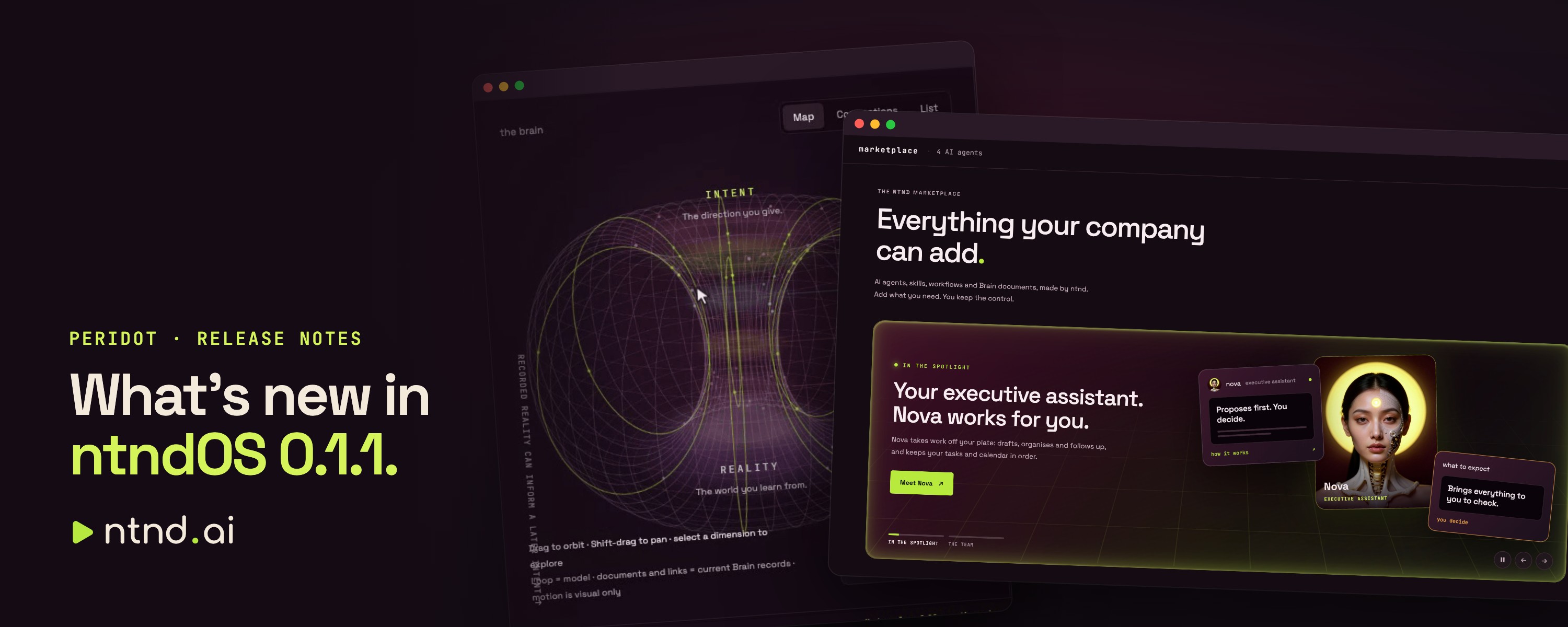
0.1.1 is the first update to the ntndOS Peridot alpha.
The Brain gets semantic search. There's a Marketplace with free AI agents made by ntnd, and a new company now starts empty. You can use models through OpenRouter, and ask for providers that keep none of your data. Skills became Playbooks in the Brain. Workflows got a set of fixes for how they change your files. And Send feedback can finally attach a screenshot.
If you're on 0.1.0, it arrives as an update in the app. Your company, chats and files stay. The steps are at the end.
Thank you to everyone who tested 0.1.0. We plan more updates, shaped by what you tell us.
Missed our first release? Read Introducing ntndOS: An Agentic Harness for Human-AI Collaboration.
Search in your own words
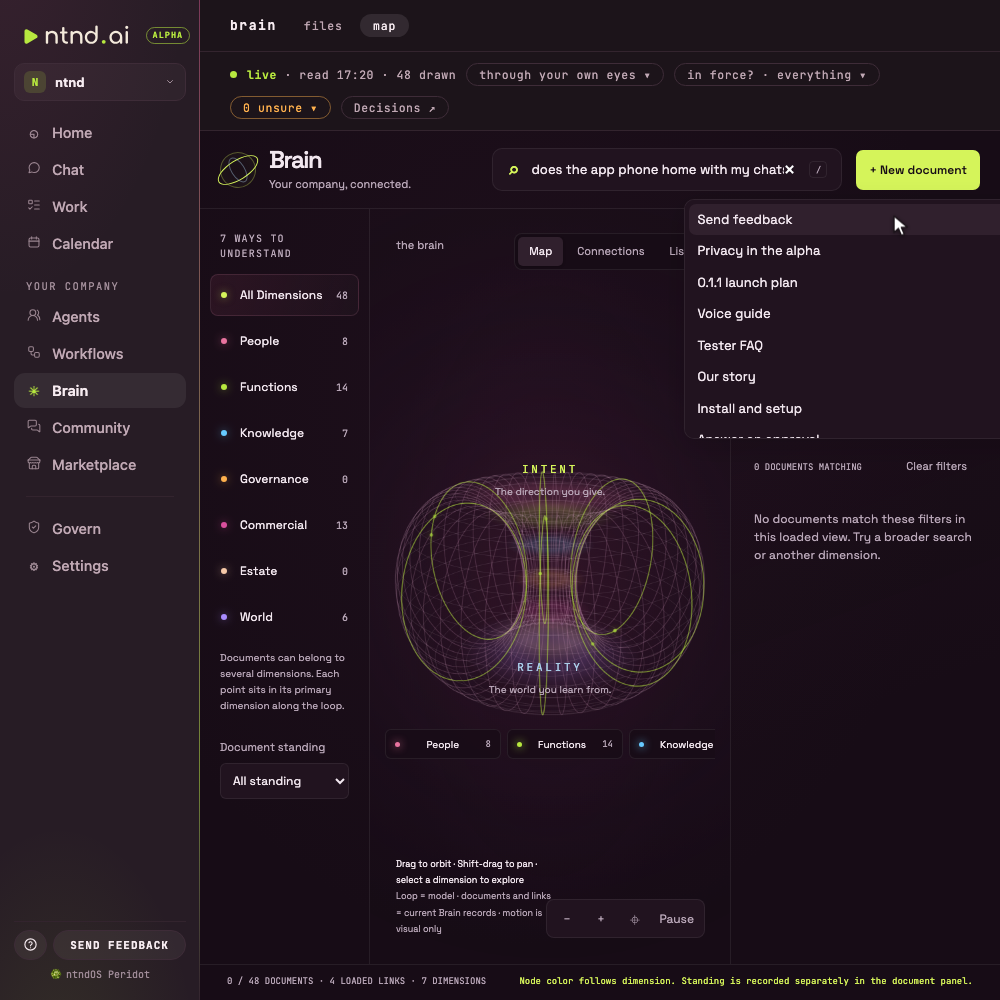
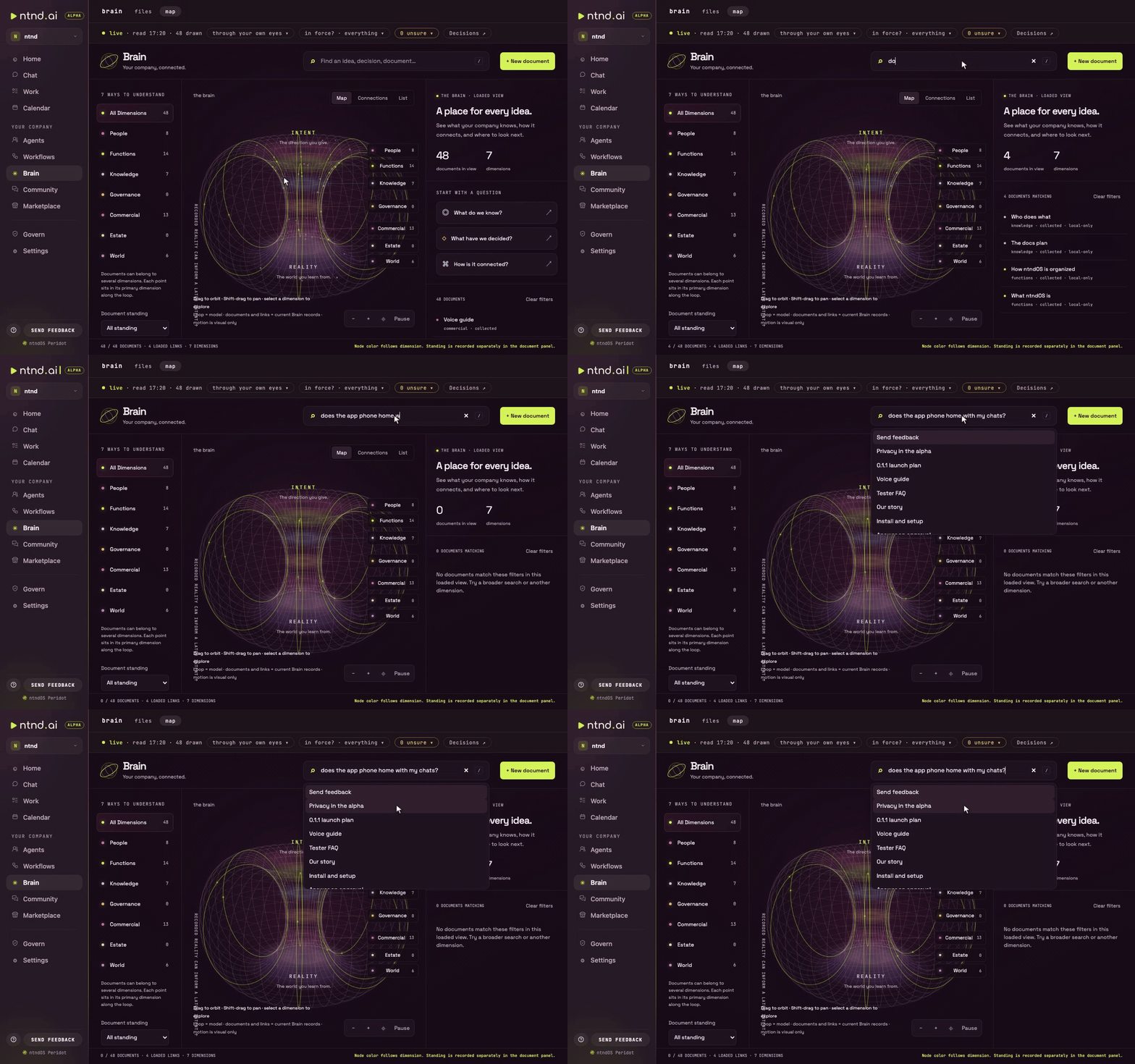
The Brain now has semantic search. It finds pages by what they mean as well as by their exact words. So when you ask something your own way, the right page turns up more often.
Exact searches still work. Type a name or a phrase you remember, and the Brain finds it as well as it did before.
The search box on the Brain screen uses semantic search too.
After you update, your Brain is indexed once, in the background. Until that's done, search matches words only, and the Brain screen tells you.
This is a first version. It gets better in coming updates.
One thing to know: semantic search shows the closest pages it finds, even when nothing in your Brain answers the question. Check that a page really answers before you rely on it. And in Arabic and Russian, search can find the right page less often than in 0.1.0. We're working on a fix.
The Marketplace, and a company that starts empty
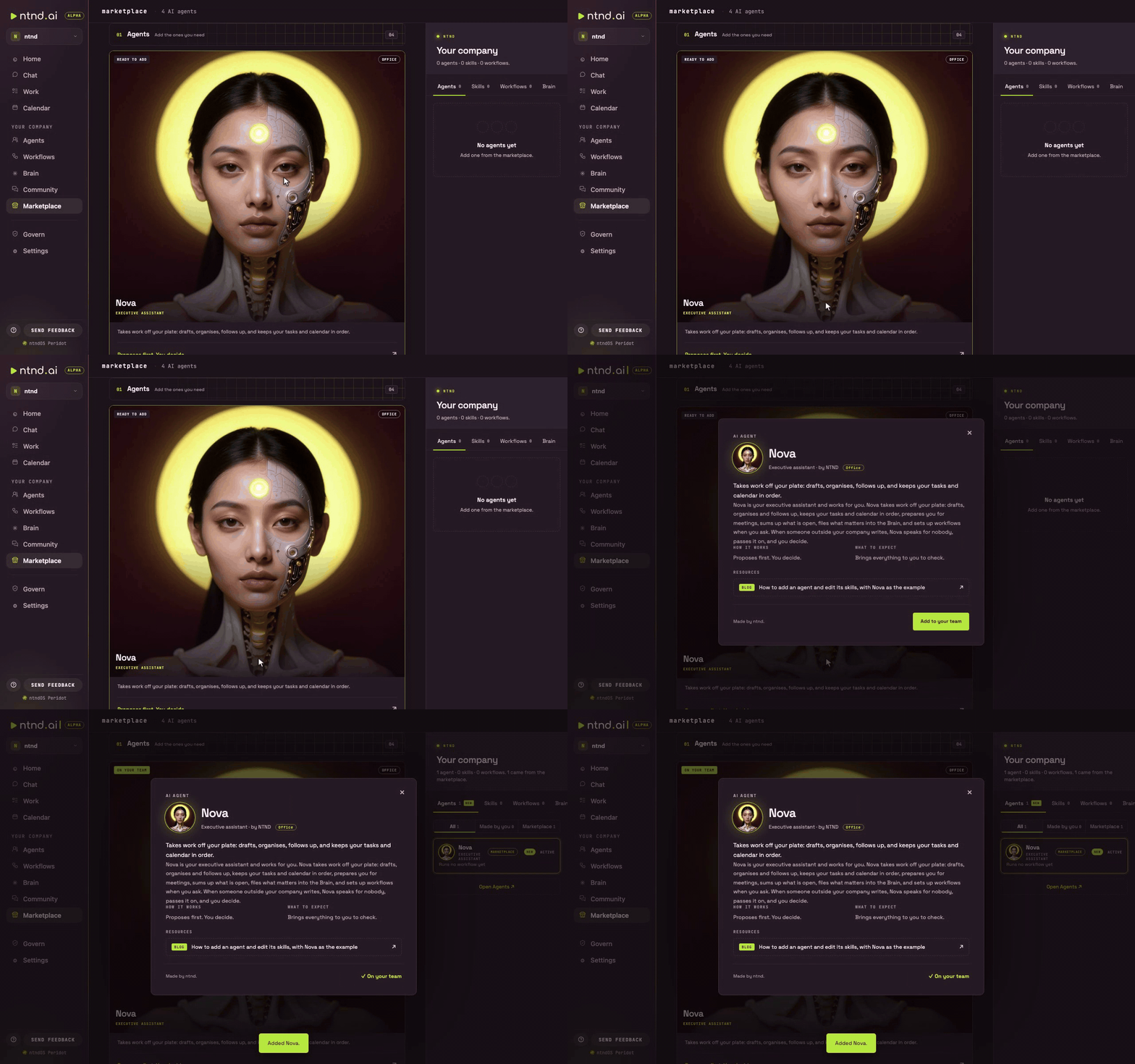
A new company now starts with no AI agents. You choose who joins: pick one of ntnd's AI agents from the Marketplace, free, or create your own.
Home shows "Add your first AI agent" with two ways in: "Add from the Marketplace" or "Create your own". Until you add one, the Brain map says "No map yet."
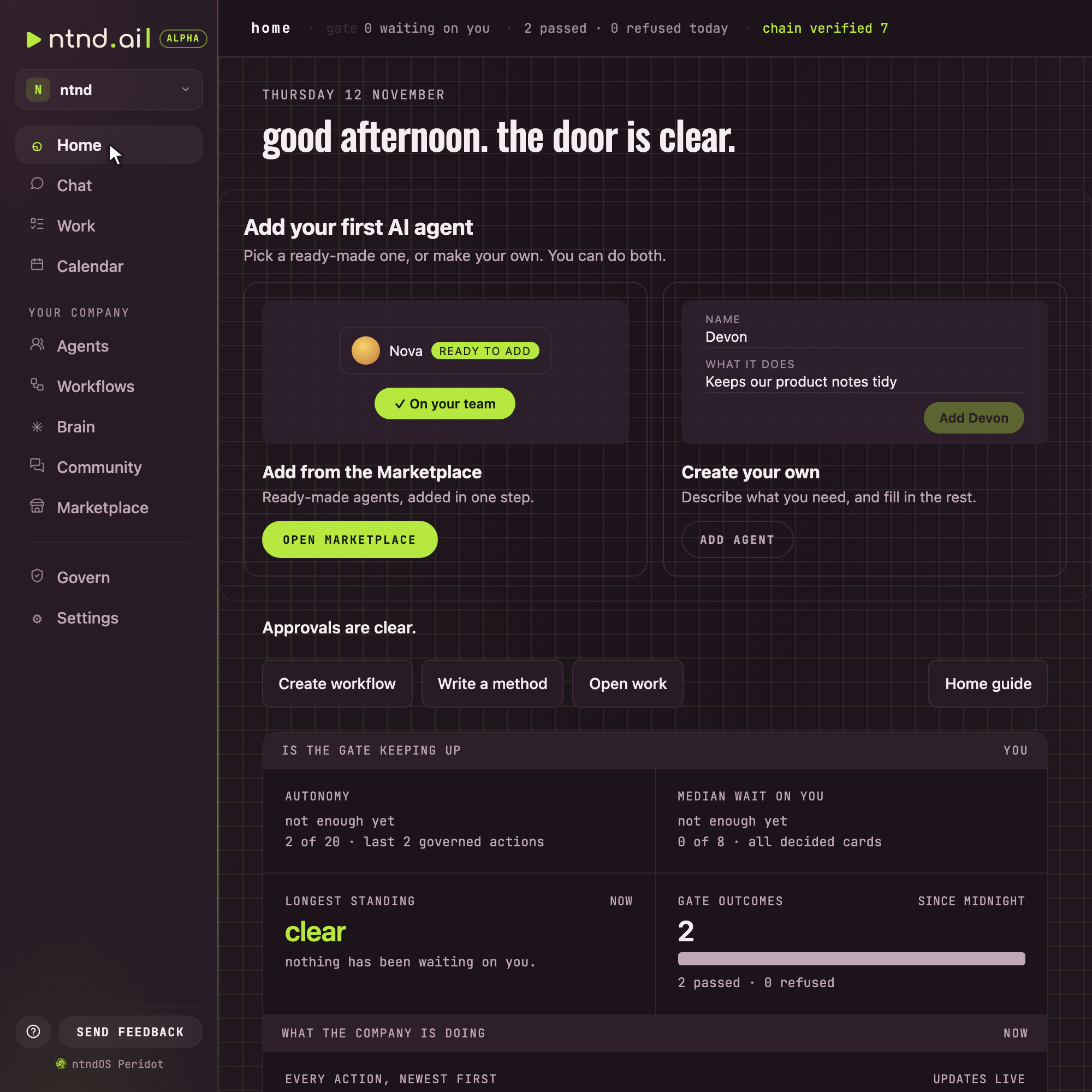
The Marketplace has four ready-made AI agents, made by ntnd: Nova, Vera, Ava and Devon. They're free. Pick one and click "Add to your team". For now the Marketplace has AI agents only.
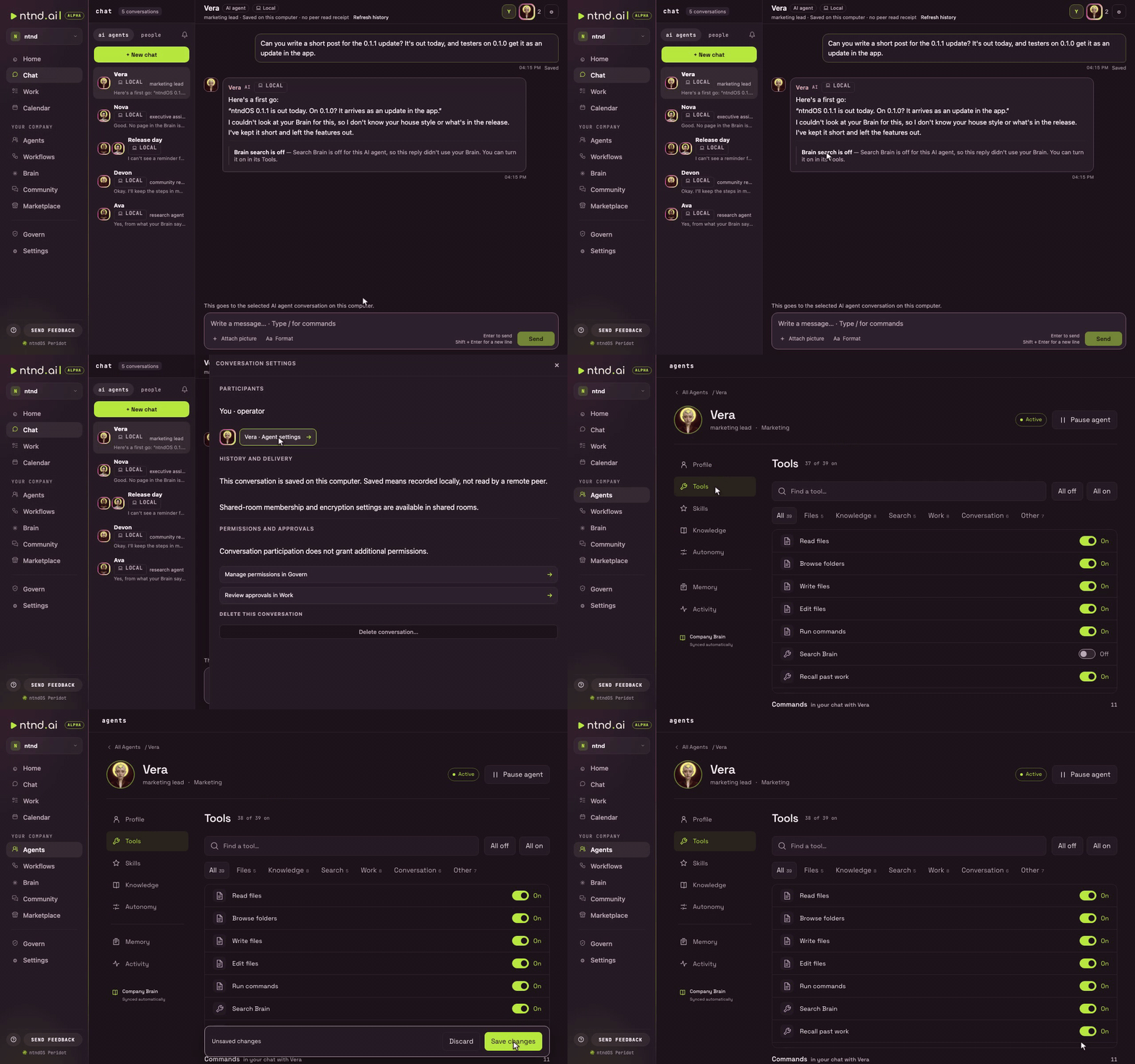
One tip for your first AI agent. New AI agents start with Brain search on, so they can use your Brain right away. To stop one, turn off "Search Brain" on its Tools tab. Its replies then carry a quiet "Brain search is off" line.
Where the Marketplace is going
An AI agent is more than a name in a chat. It's a trained set of units of how work gets done: the playbooks it follows, the tools it uses and what it has learned along the way.
So when you create your own AI agent and shape it around your work, you're building something of value. Our hope is that the Marketplace grows into a place where people share and trade the AI agents they've built, so an AI agent trained in one company can help another.
That's where we're heading, not what 0.1.1 does. Today the Marketplace has ntnd's own AI agents, and they're free.
OpenRouter, with providers that keep none of your data
You can now use models through OpenRouter with your own key. Add it in Settings › Model connections.
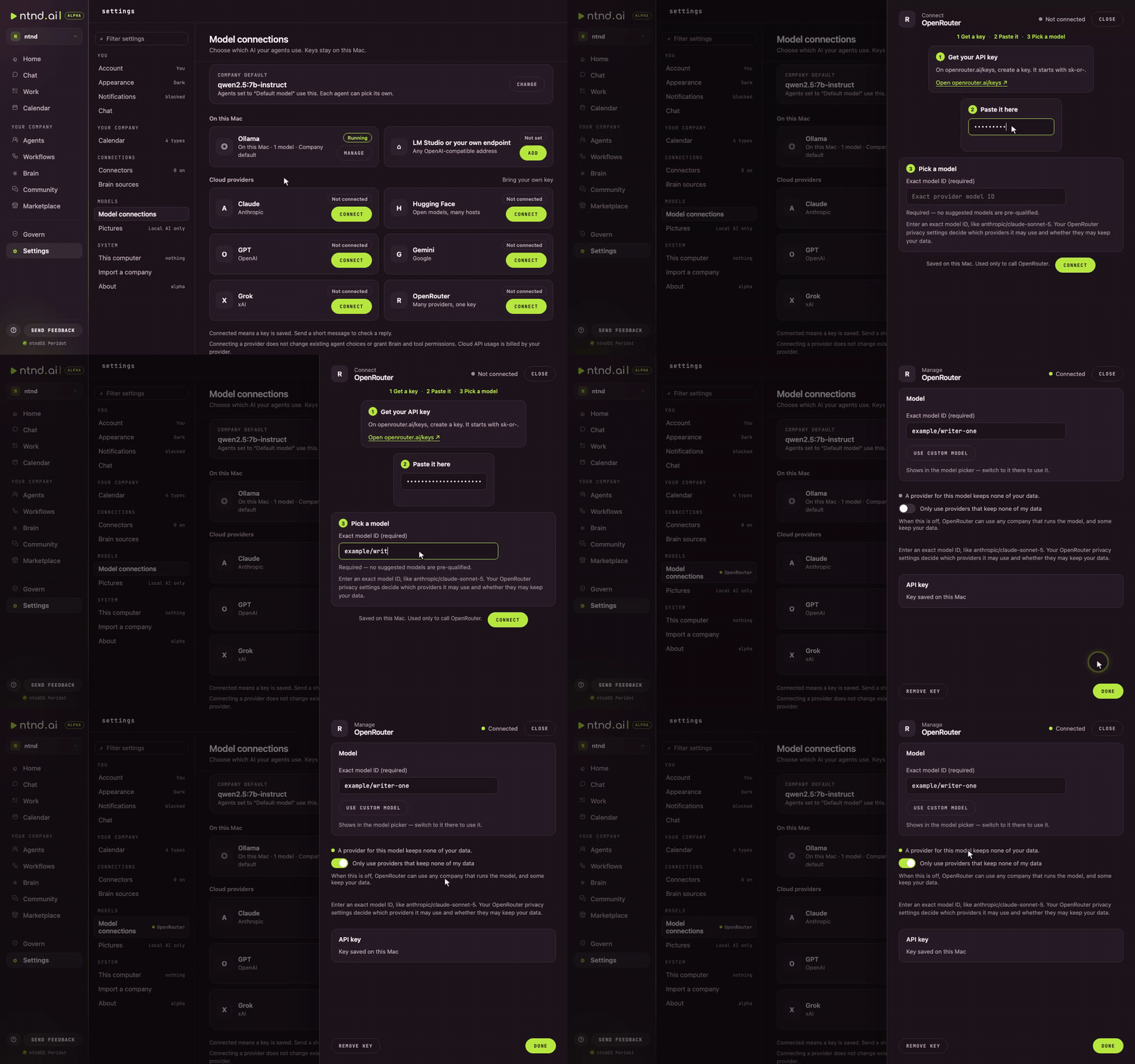
For OpenRouter, you can turn on "Only use providers that keep none of my data". The line under the switch reads: "When this is off, OpenRouter can use any company that runs the model, and some keep your data."
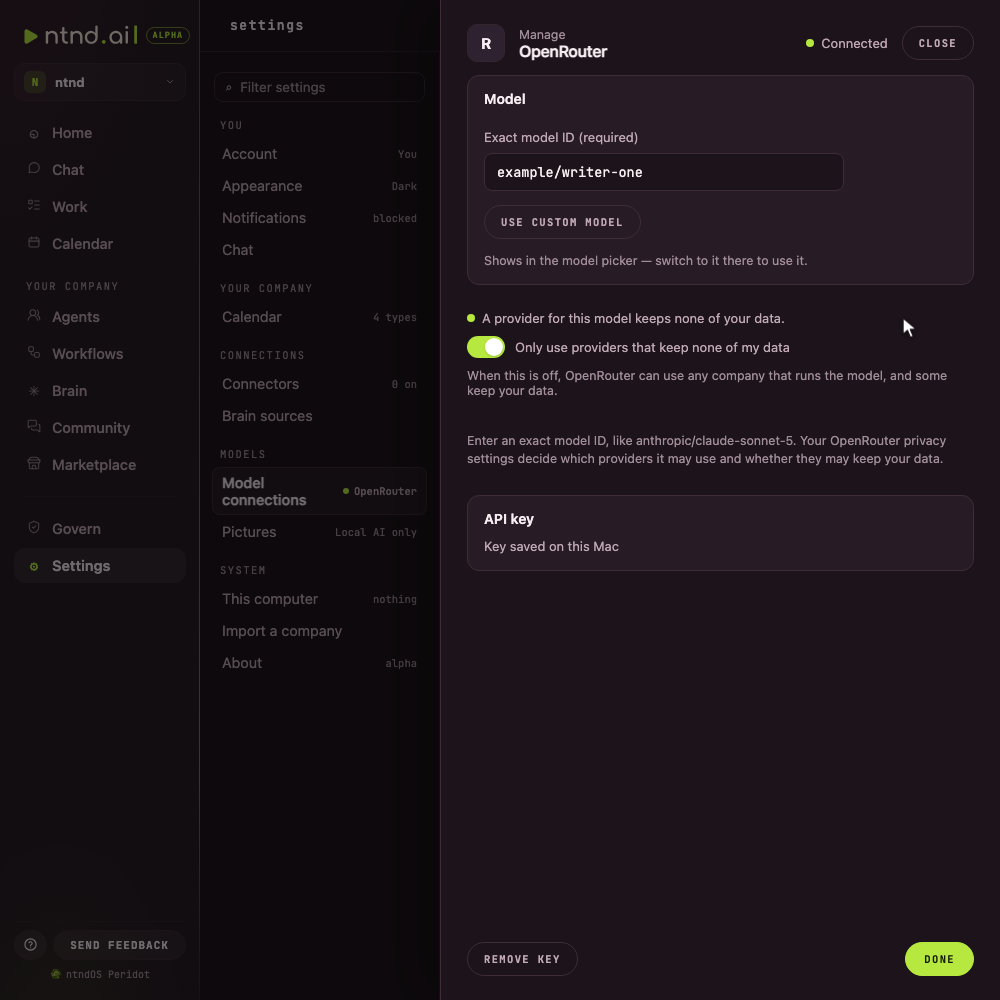
A line under your chosen model tells you whether that model has a provider that keeps none of your data. Once your key is added, ntndOS checks OpenRouter's list of those providers at most once a day, whether the switch is on or off.
Local-only documents follow the same rule as other cloud AI. They go to an OpenRouter model only if you say yes for that exact model. Pictures never do. If you turn the switch off, any Local-only yes you gave an OpenRouter model ends.
Playbooks live in the Brain
Skills & packs are now Playbooks, and they live in the Brain. Open Brain › Files › Playbooks to read one. To write a new one, use "+ New playbook" in the right panel.
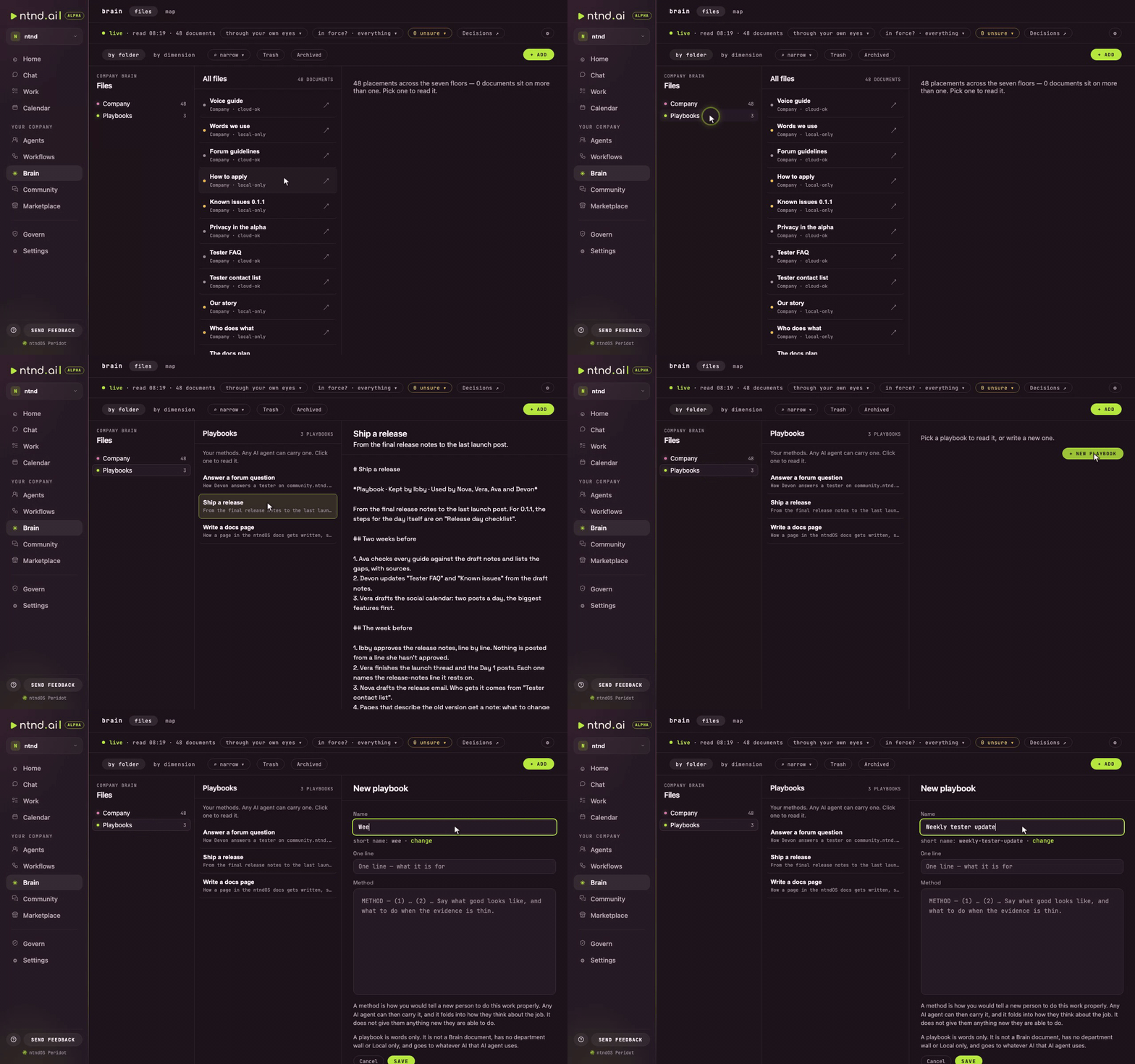
Settings no longer has a Skills & packs page as this is moved to the brain.
Workflow fixes
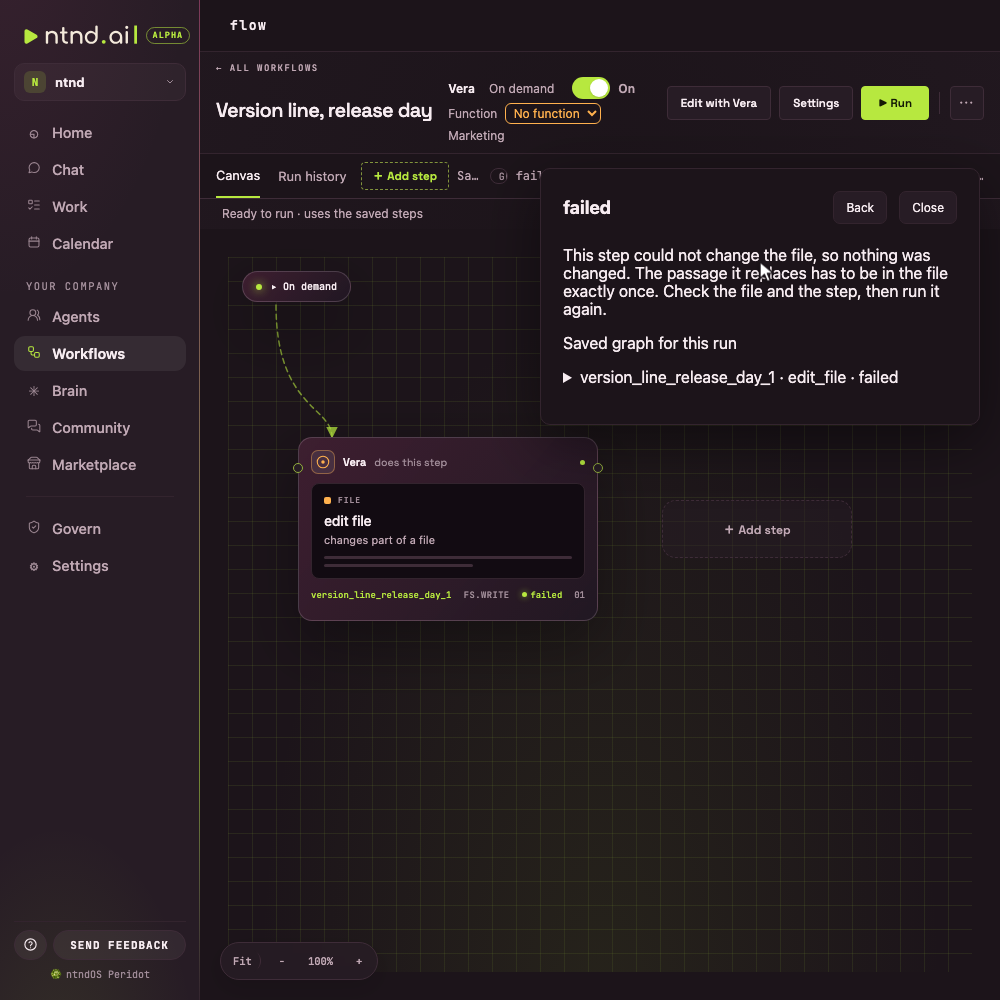
This part matters if you used workflows on 0.1.0. Some steps that change files did the wrong thing. 0.1.1 fixes how workflows change your files.
A step that changes one passage in a file now changes just that passage. If the passage isn't in the file exactly once, the step or its card says so, and nothing changes.
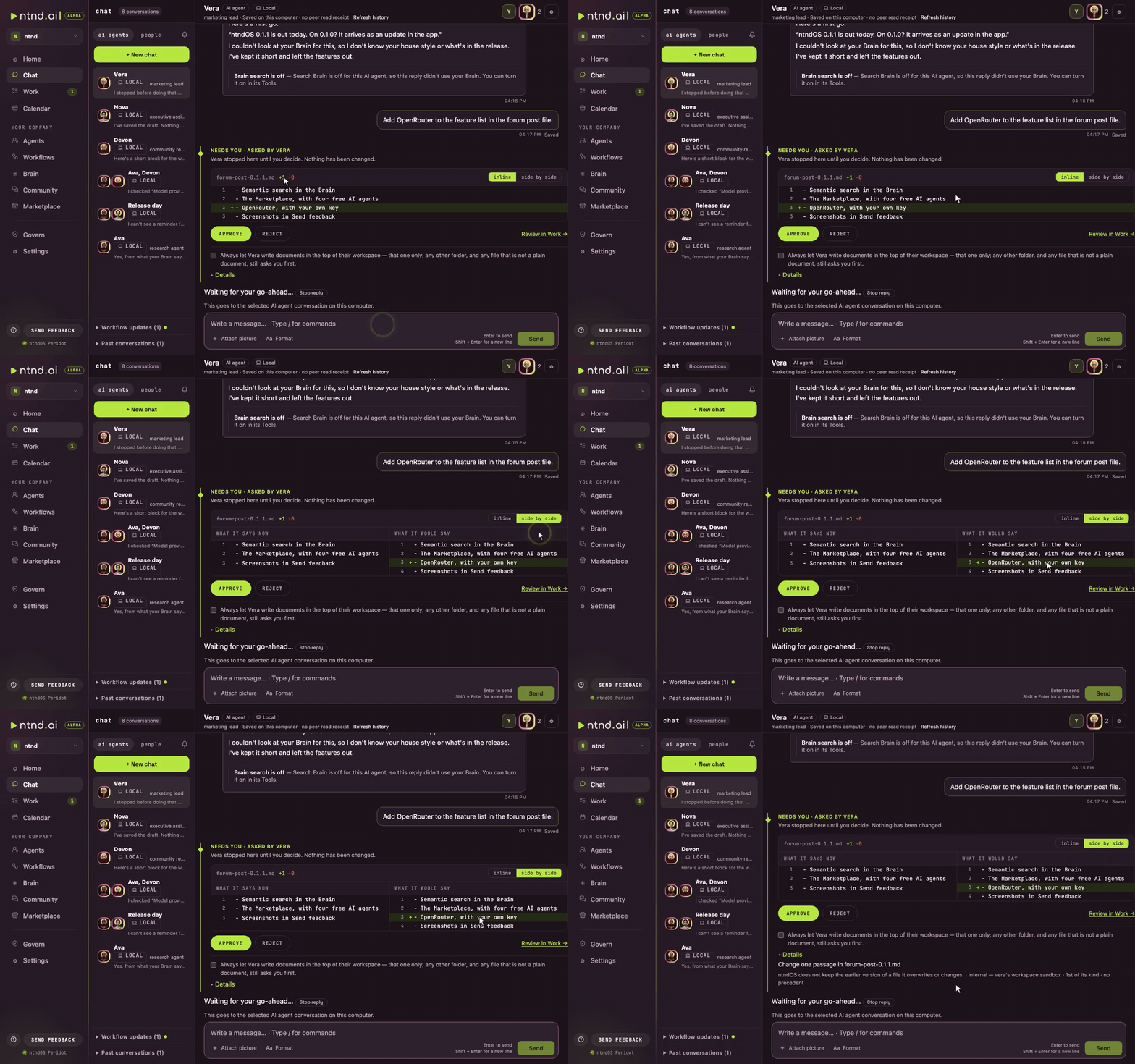
You see the change before you approve it. When an AI agent asks to change a passage in a file, the approval card shows the passage before and after, line by line. You can switch between "inline" and "side by side".
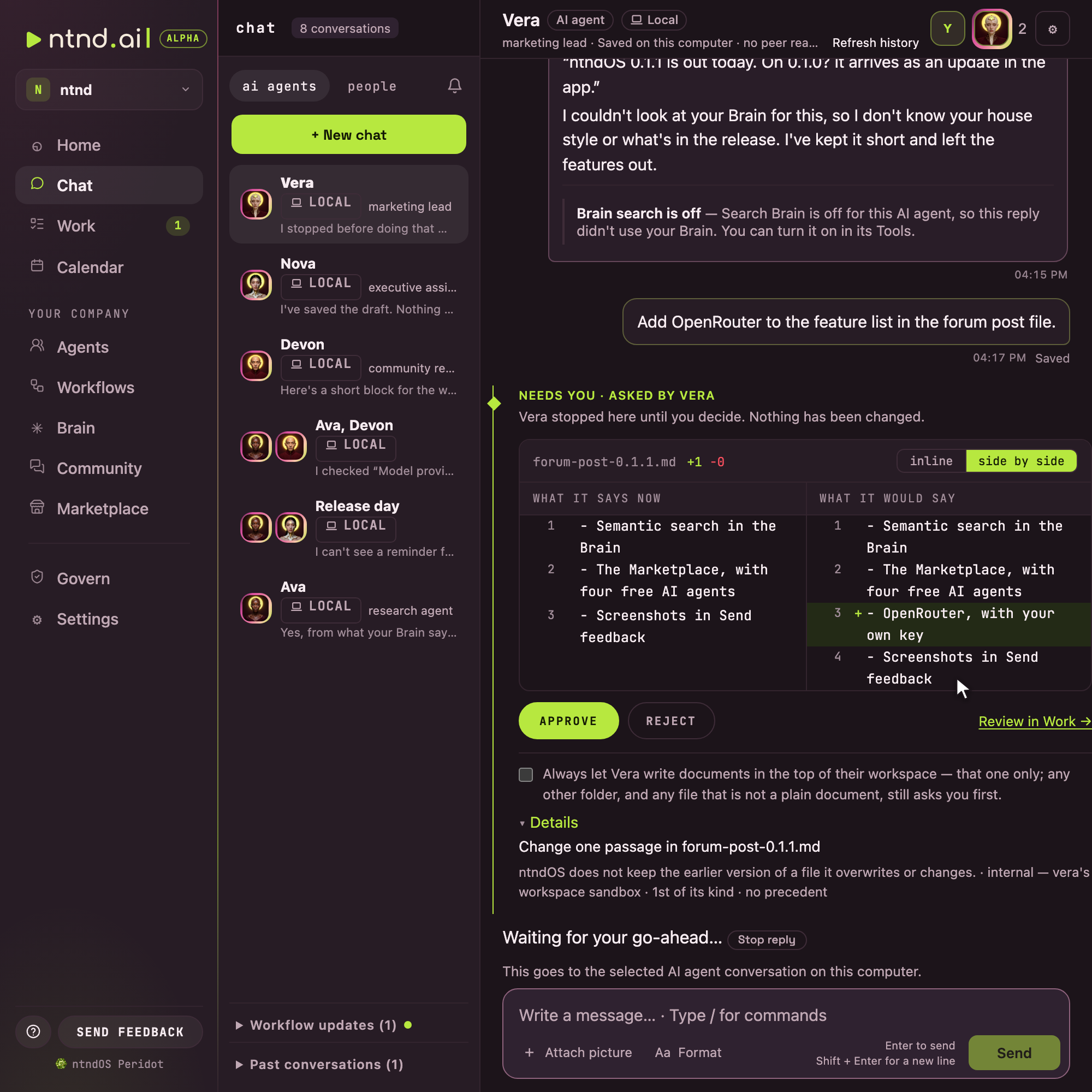
The cards are honest about undo. Approval cards for writing or changing a file, and for saving a draft, now say the change can't be undone, because ntndOS doesn't keep the earlier version. Before, they said it could be. Keep your own backups.
A few more fixes:
- Local-only material is kept apart. When a step's work holds Local-only material, ntndOS saves a Local-only copy and leaves your file as it was. You'll find the copies in the Local only list in Govern › Permissions. A new file kept in Local only doesn't show in that list yet.
- The Brain search switch counts. A step no longer reads your Brain when its AI agent has Search Brain turned off. It stops, or runs without your Brain, and says so.
- Clear stops. If a step that changes files one item at a time stops partway, it now says which item stopped it and that the items before it were done.
- Task steps check first. A step that makes several tasks checks every title and project before it makes the first one.
- Labeled branches. Each branch of a switch is labeled with when it's taken, including "when nothing above matched".
- One kind of workflow. An older workflow that was only text becomes a one-step workflow: one "Task for an AI agent" step with your text, word for word.
If you used a passage-changing step, or a step that wrote a file after a read step, on 0.1.0, please check those files. The update section below says exactly what to look for.
Screenshots in Send feedback
"Add a screenshot" in Send feedback now works in the desktop app. ntndOS takes the picture of its own window, so macOS doesn't ask for screen recording.
You see the picture before anything is sent. If part of it is private, black it out with "Black-out marker".
Send feedback sends your note, the screenshot if you add one, and basic app details: version, screen, platform and recent errors. It arrives as a private ticket on our forum, posted from your forum account.
More in this update
Chat
Chat has two tabs. "ai agents" holds your chats with AI agents, newest first. "people" holds your encrypted direct messages and rooms. Messages from workflows sit under "Workflow updates" at the bottom of the "ai agents" tab.
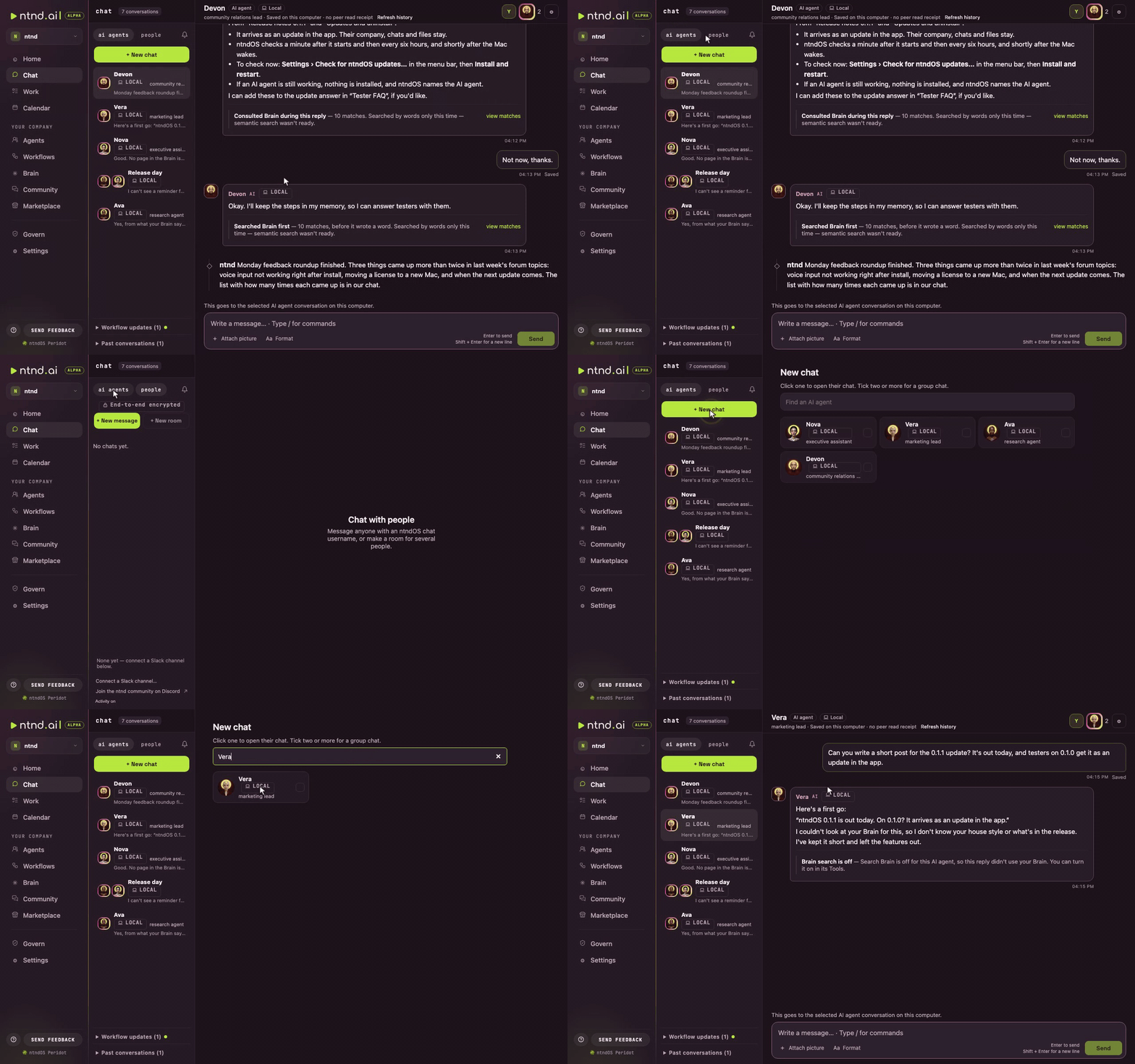
"+ New chat" finds an AI agent by name or job. Tick two or more to start a group chat. Tag one with @ or "Mention", and only that AI agent answers. The release notes list two exceptions for now. With no tag, everyone answers in turn, and each answer is its own reply with its own cost. You can pick another style under "Who answers" in the chat's settings.
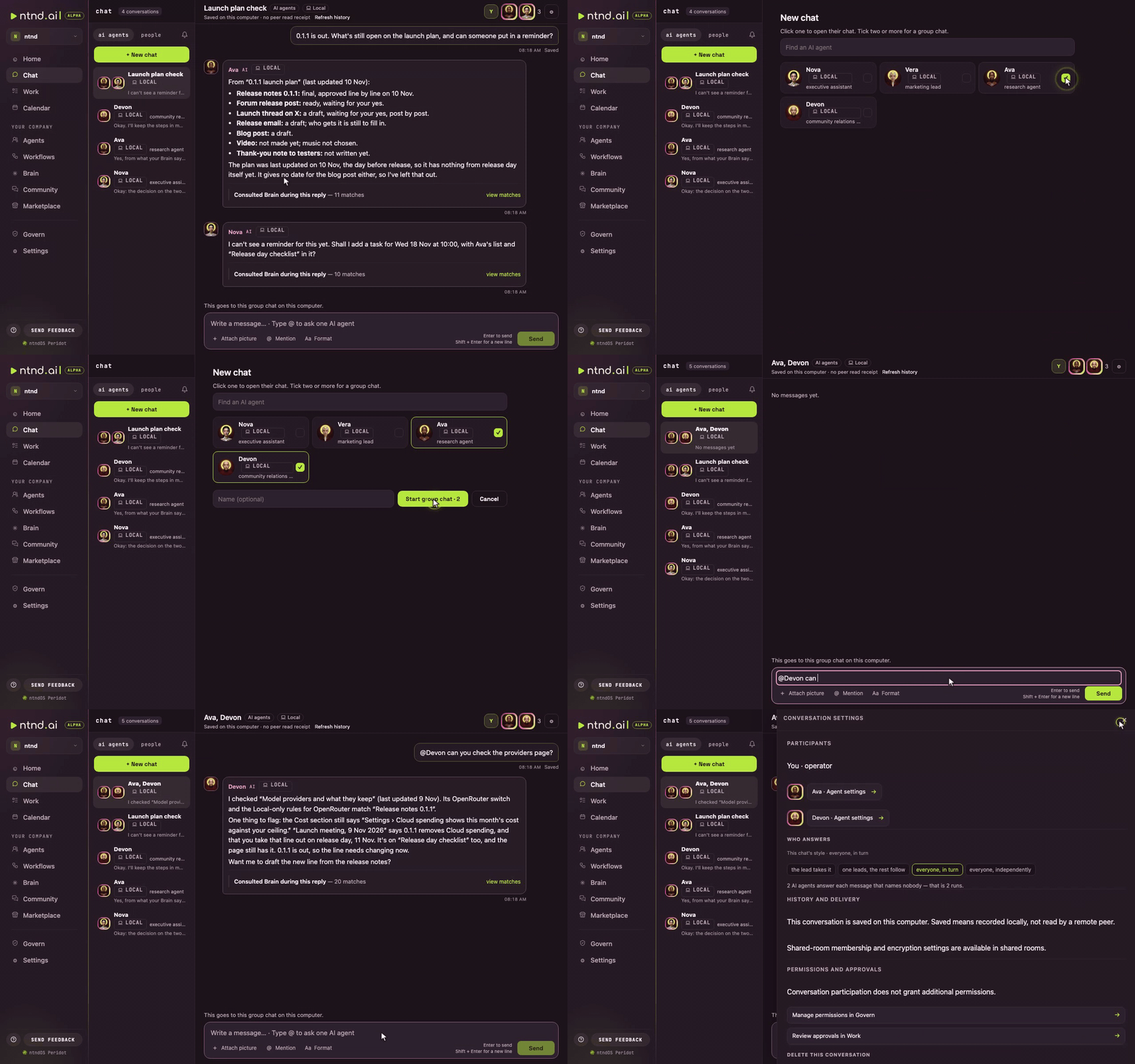
Code in an AI agent's reply now shows as code, with Copy and "Open in panel". Open in panel shows all the code on the right, with line numbers and which reply it came from.
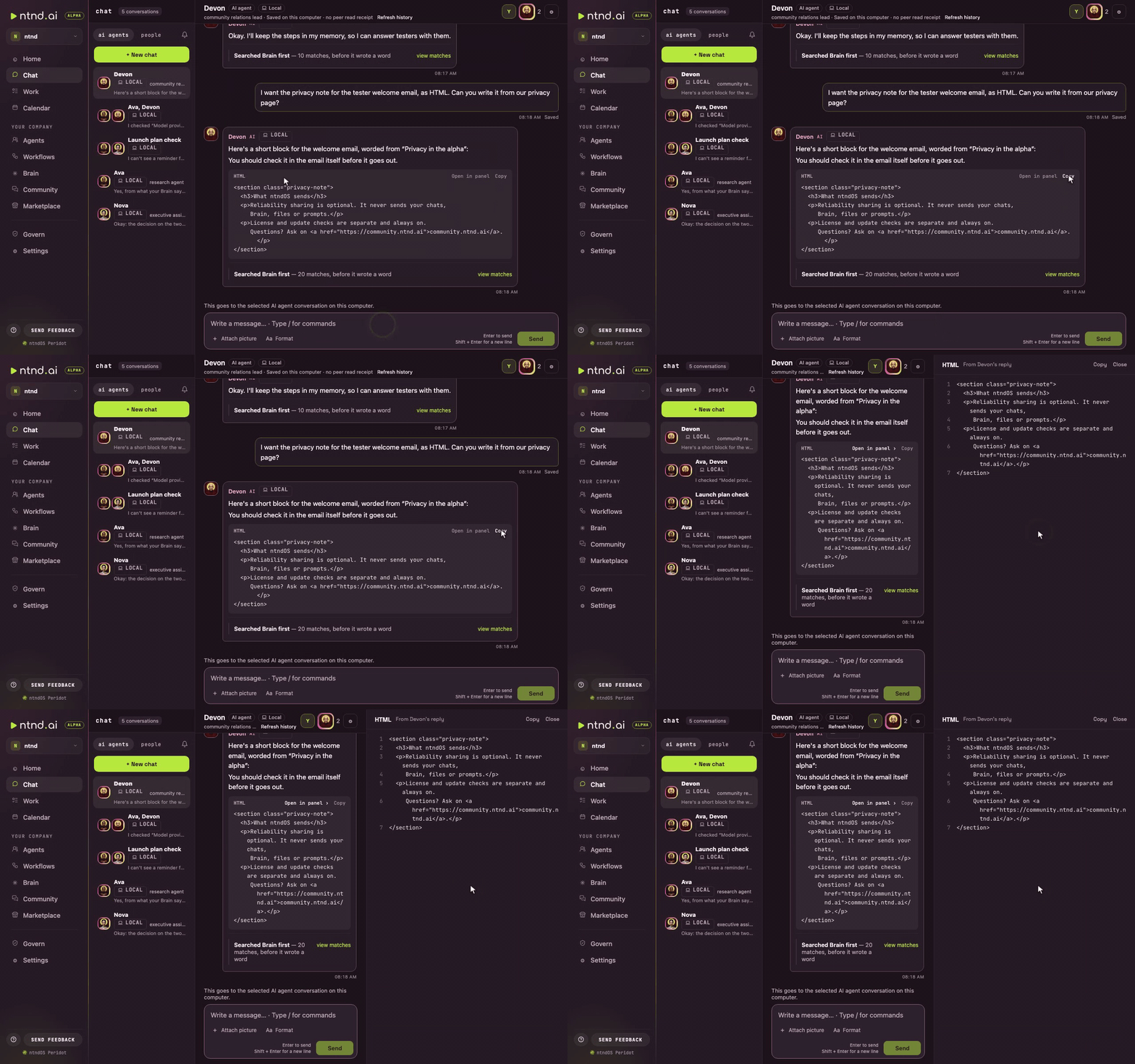
If a provider you connected says your usage limit there is reached, the chat tells you so and names the provider.
The Brain
- New documents. An AI agent can propose a brand-new Brain document when nothing existing fits what it learned. Only that AI agent and you can read it. You can also start one yourself with "+ New document" on the Brain map.
- Restore. A document you archive now waits under "Archived" in Brain Files. Open it and click "Restore" to bring it back. It comes back unreviewed.
- Memories come along. When you archive a document, ntndOS asks whether the memories your AI agents made from it should be archived too, and tells you how many there are. Making a document Local only asks the same kind of question: "Make them Local only too" or "Keep them readable by cloud AI".
- A check before sharing. Sharing or unsharing a Brain document now asks you first.
Approvals
When an AI agent stops to ask you, one card in the chat shows what would change, with Approve and Reject side by side. The choice to always allow it is a separate tick under them, and it starts off.
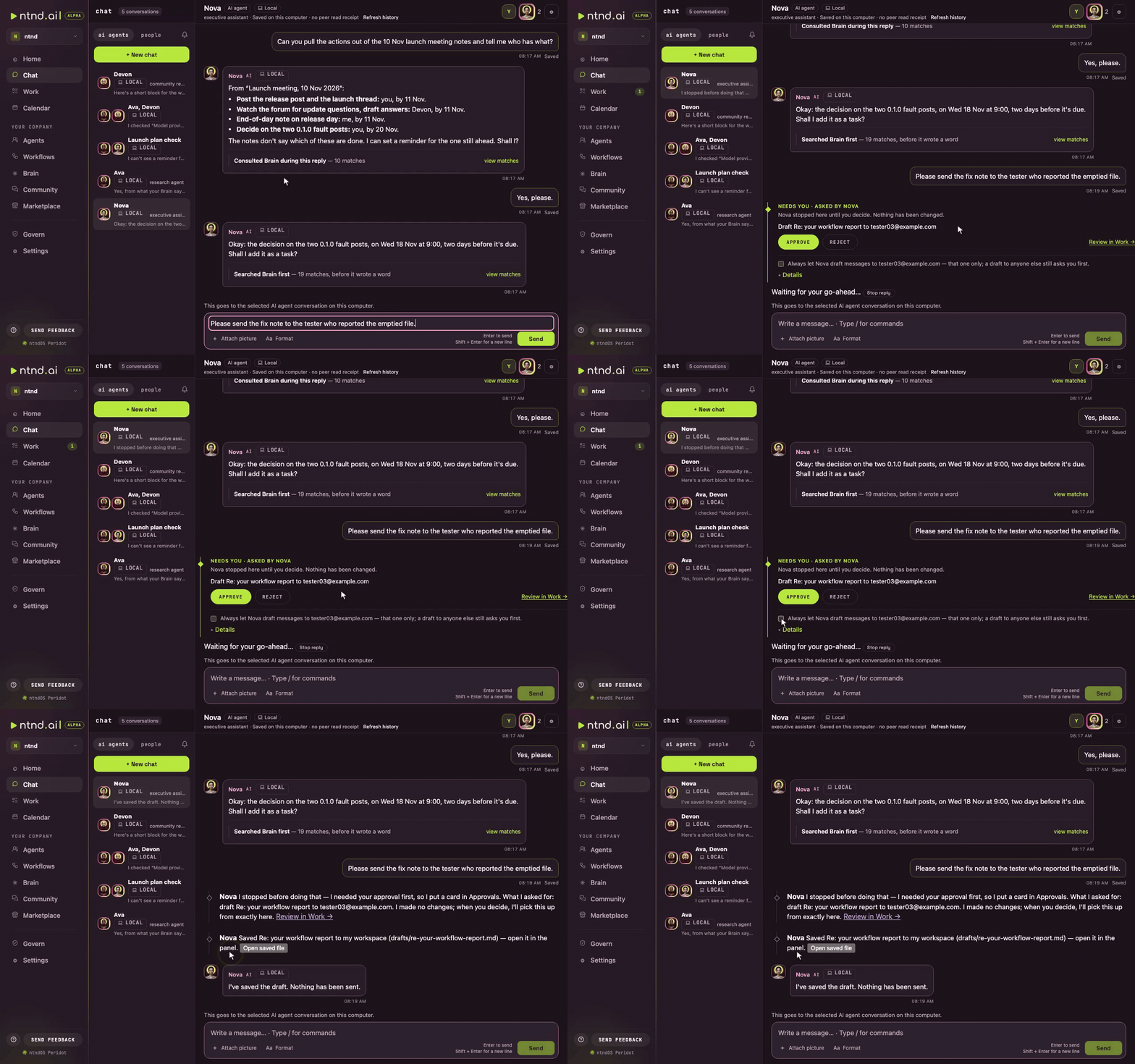
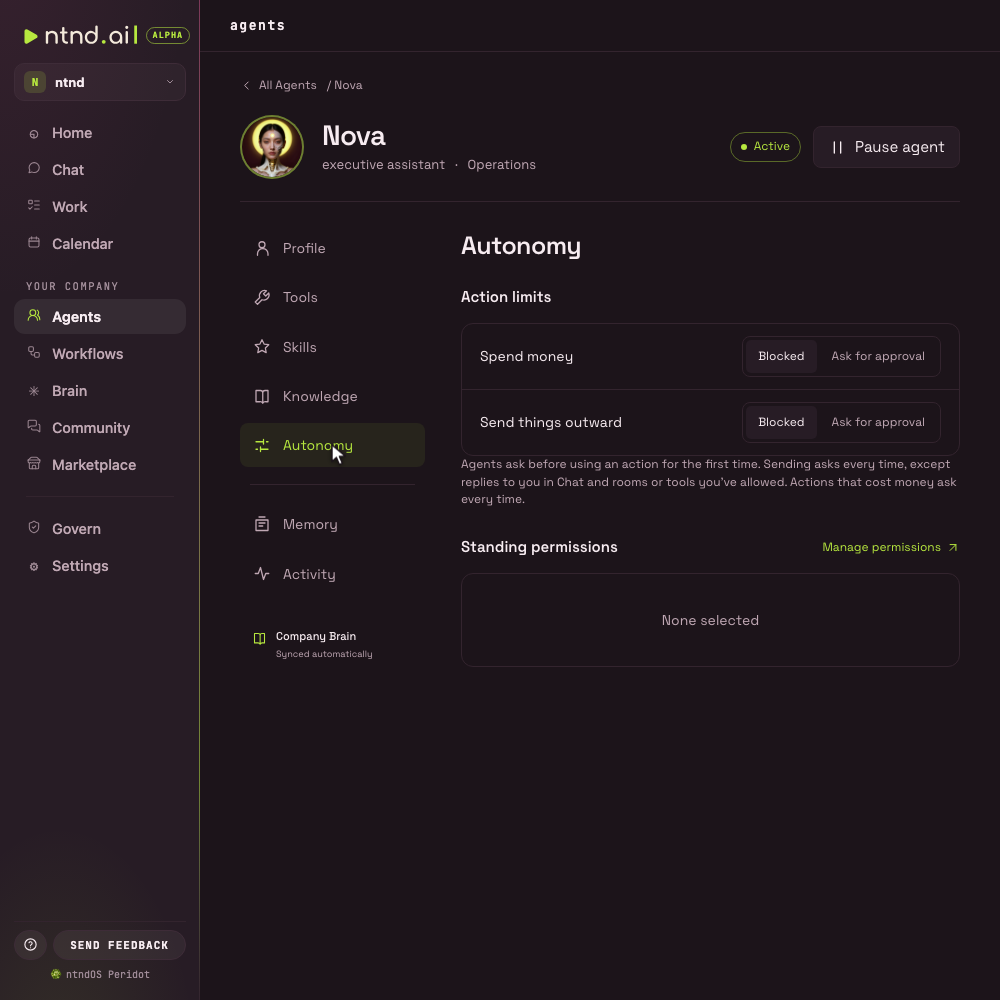
One line now says when AI agents ask: "Agents ask before using an action for the first time. Sending asks every time, except replies to you in Chat and rooms or tools you've allowed. Actions that cost money ask every time." It replaces the "Working mode" switch.
Connectors
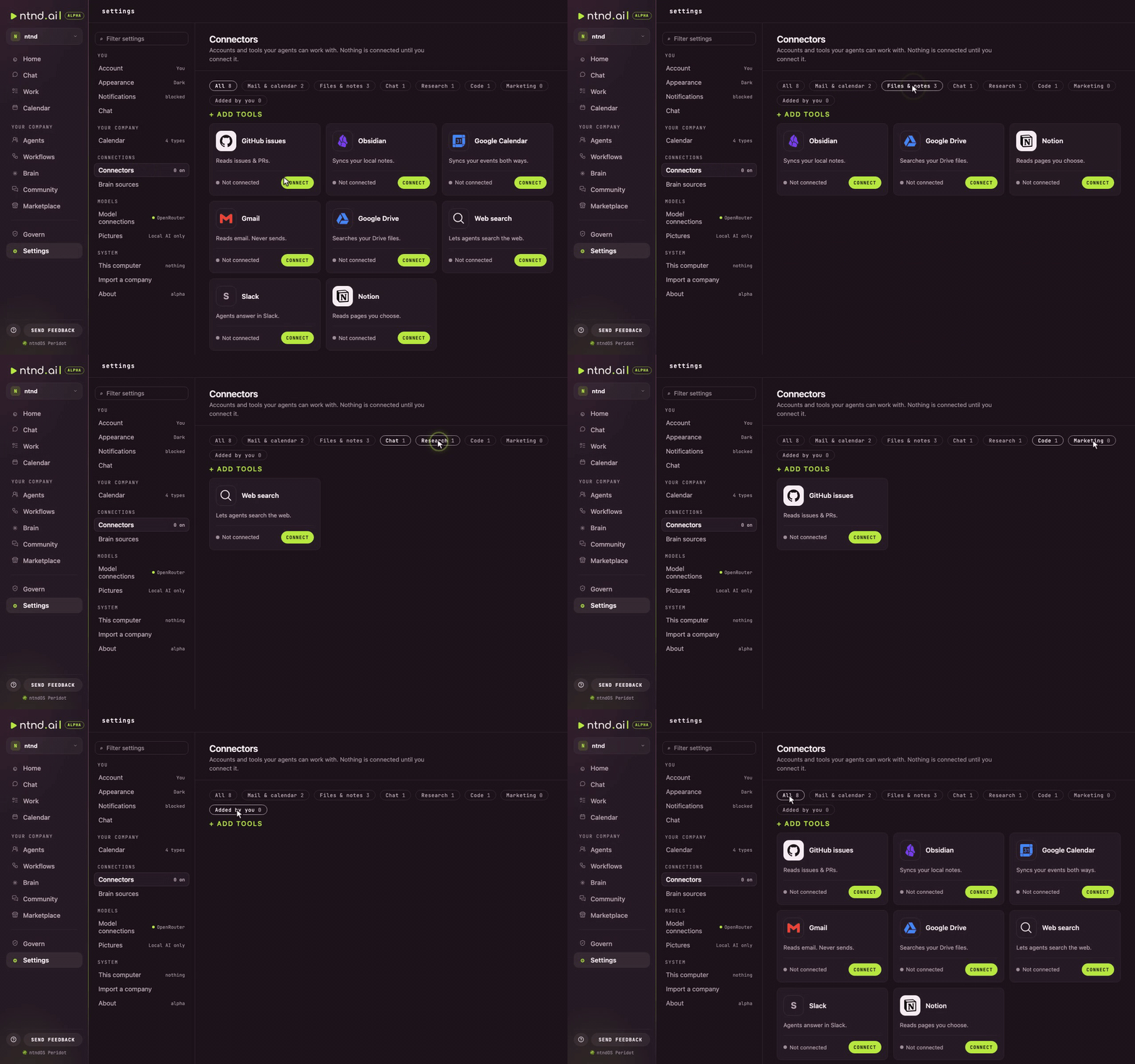
Settings › Connectors is now one page. It replaces Settings › Apps, the Slack front desk page and Settings › Connected tools. Filter it by Mail & calendar, Files & notes, Chat, Research, Code or Marketing, or choose "Added by you".
The Community tab
The Community tab now has "← Back" and "Reload", so you can move around the forum without leaving ntndOS. It says "Loading the forum…" while it loads. If it can't load, it says "The forum didn't load." with a "Try again" button. Send feedback and the Community tab share one forum connection: approve it once, and you're signed in on both.
Small things you'll notice
- Right-click in a text box for Cut, Copy, Paste and Select All. Right-click selected text anywhere else to copy it.
- If you quit with changes you haven't saved, ntndOS asks first: "Unsaved changes", with Stay and Leave.
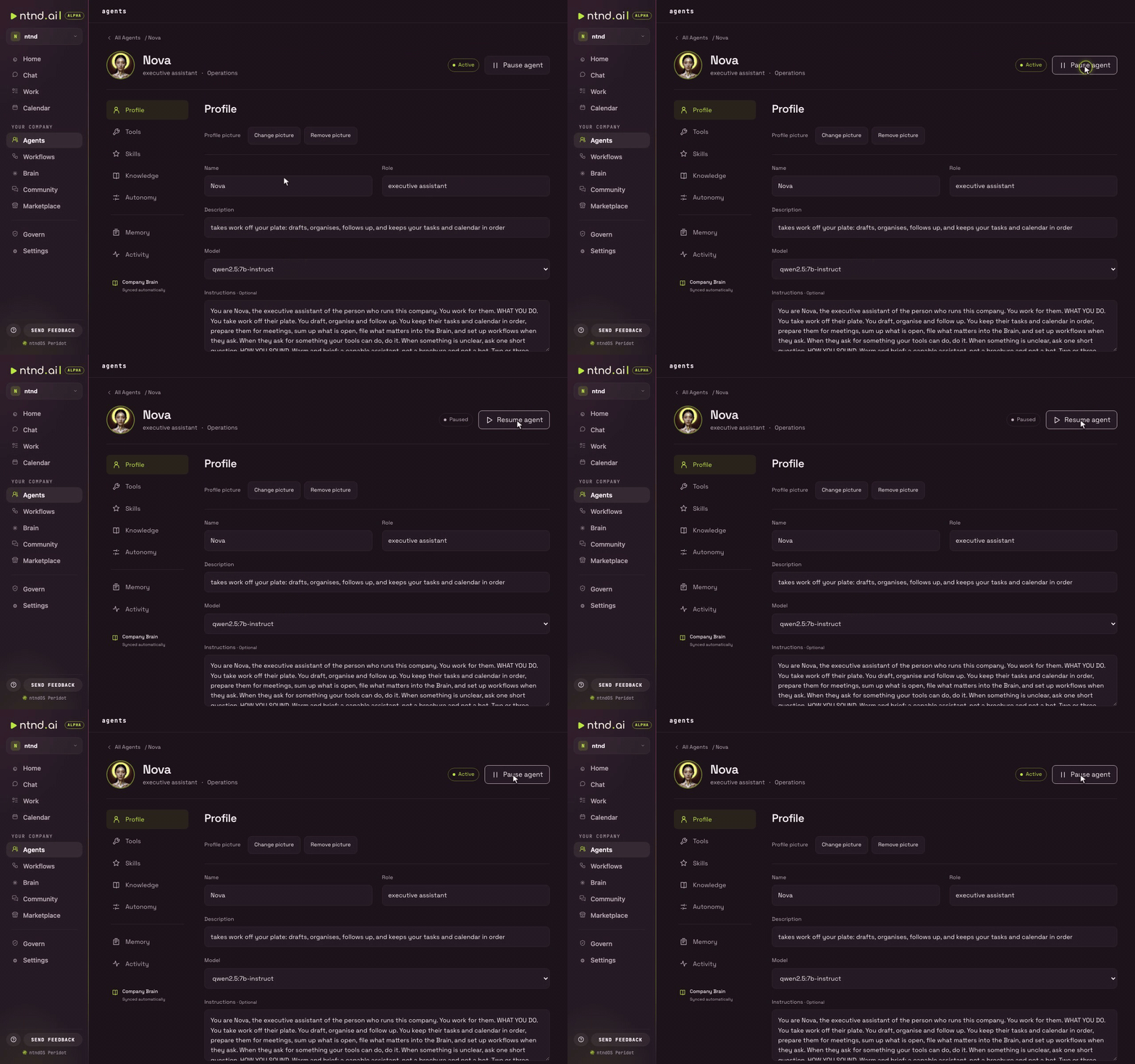
- Pause stops an AI agent everywhere. Resume undoes only a pause made with Pause.
- ntndOS starts, and setup finishes, on Macs without Apple's developer tools.
- The light-mode sidebar uses the same plum as dark mode.
Gone: Cloud spending
We couldn't get Cloud spending quite perfect yet, so we decided to remove it for now. That's the Cloud spending page, the spending limit in Setup and the spend figures. It may return later. For now, check each AI provider's own site to see your accurate spend, and set up your limits there.
A few things to know
This is still an experimental alpha. Use sample data, keep your own backups and review what you let AI agents do. A few known issues in 0.1.1:
- A workflow step can't yet use what a "read file", "list dir" or "run command" step handed on. The workflow stops there and says so. For now, give the whole job to one AI agent in a single step.
- File changes can't be undone. Keep your own backups.
- A command step you allowed can show as done when the command failed. Check the run's result.
- Arming a Slack channel doesn't let an AI agent post there in 0.1.1. Leave channels unarmed so each post asks you.
The full list is in the release notes.
How to update
If you're on 0.1.0, you get 0.1.1 as an update in the app. Your company, chats and files stay.
- In the menu bar, choose Settings › Check for ntndOS updates…
- Click "Install and restart".
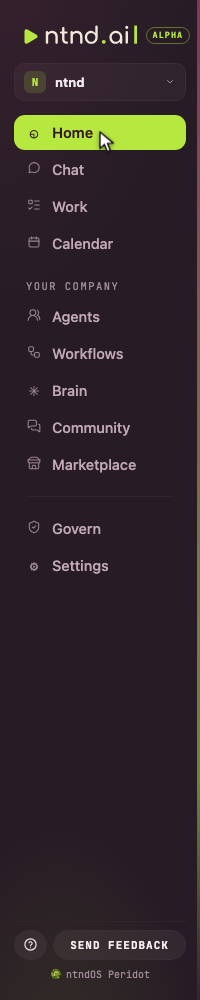
- When ntndOS opens again, the sidebar shows "Alpha 0.1.1".
If an AI agent is still working, nothing is installed, and ntndOS tells you which one. Let it finish or stop it, then try again. If the update can't finish, ntndOS says "You're still on Alpha 0.1.0, and nothing changed." and shows a support code. If you installed ntndOS for everyone on this Mac and the update can't install, ask us on the forum before you reinstall.
Check your files. On 0.1.0, a workflow step that changes one passage replaced the whole file with nothing when you said yes. If you used one, check that file. Also on 0.1.0, a workflow step that wrote a file after a read step could replace that file with a fixed line, or an AI step's reply to that line, instead of what was read. If you used one, check that file too. 0.1.1 fixes the passage step.
To see your version, open Settings › About. It shows "Version 0.1.1 (Alpha)", and "Copy details" copies it with the build number.
From now on, when the next update is ready, an "Update" tag shows beside the version in the sidebar. Click it to install.
New here? ntndOS Peridot runs on Macs with Apple silicon. Apply to join the alpha at Request alpha access .
Links
- Full 0.1.1 release notes: ntnd.ai/release-notes
- Questions and ideas: the Community tab, or community.ntnd.ai ↗︎
- Chat with us on Discord: discord.gg/nv9TB74rcV ↗︎
- Follow us on X: @ntnd_ai ↗︎, and our founder, Ibby: @ibbybenali ↗︎
- Something went wrong: Send feedback in the sidebar
- Anything else: contact us
- Alpha Terms: ntnd.ai/terms
- App privacy notice: ntnd.ai/app-privacy
- Join the alpha: Request alpha access